How to synchronize a network clock in unreal Link to heading
In this example we will be creating a timer that replicates on clients, for this example, first create a new class on the Unreal Editor, selecting Actor as a parent class.
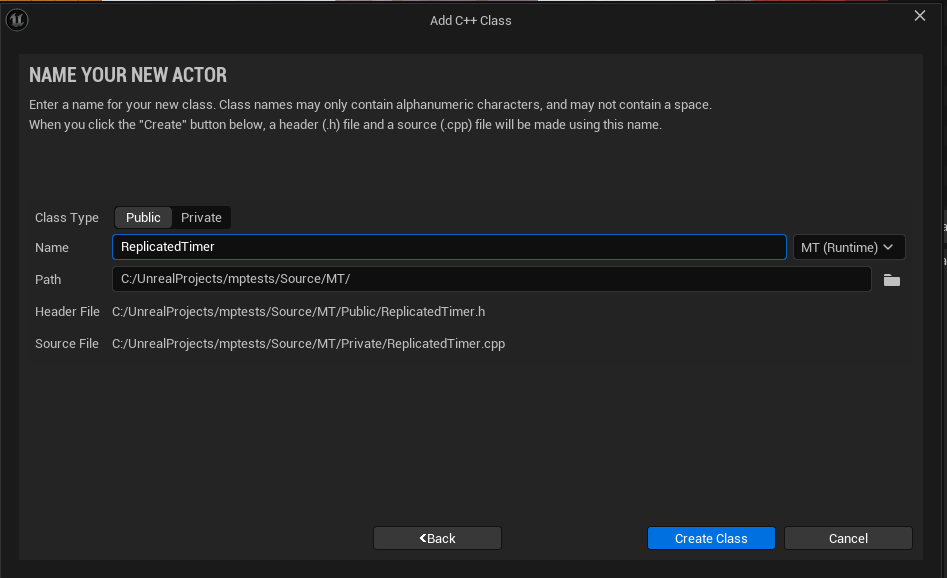
Name your class and create a blueprint class as well, we will be using it later to display the timer.
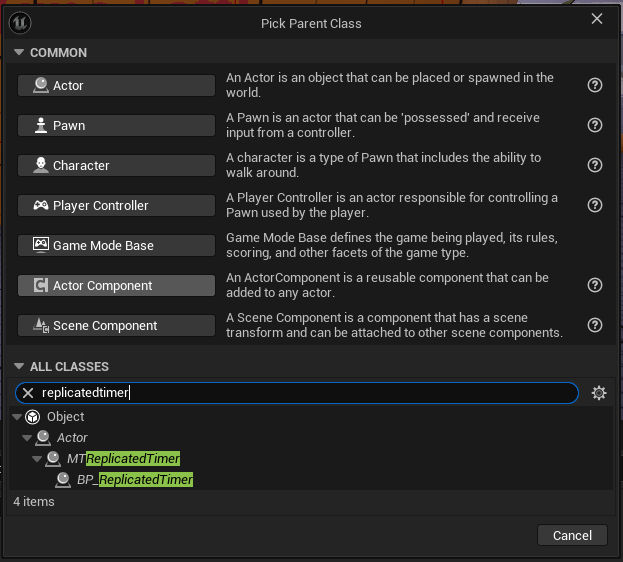
Open your .h file and add the following variables to the public section:
UPROPERTY(EditAnywhere, BlueprintReadWrite)
class UTextRenderComponent* TimerCounterText;

UPROPERTY(EditAnywhere, BlueprintReadOnly)
FString TimerPrefixText;

UPROPERTY(EditAnywhere)
float InitialTimerDuration = 100;

UPROPERTY(BlueprintReadOnly, ReplicatedUsing = OnRep_TimerCountdown)
float TimeLeft = 0;

UFUNCTION()
void OnRep_TimerCountdown();

void CountDownTimer(float DeltaTime);

UFUNCTION(BlueprintImplementableEvent)
void TimerTextUpdate(float Counter);

virtual void GetLifetimeReplicatedProps(TArray<FLifetimeProperty>& OutLifetimeProps) const override;

virtual void Interact() override;
- Text render component for displaying the text of the timer.
- InitialTimerDuration, can be edited on your blueprint, used for setting the initial time on the timer/ resetting the timer.
- TimerPrefixText to add a small text before the actual timer.
- TimeLeft is the variable that will be displayed on the text render component using OnRepNotify to update it’s value.
- The rep notify function to update the values of the text component on the clients.
- TimerTextUpdate will be used to append the prefix text to the timer, this function will be defined on blueprints.
- An Interact Function to pause/play the timer countdown.
AMTReplicatedTimerRepNotify::AMTReplicatedTimerRepNotify()
{
	PrimaryActorTick.bCanEverTick = true;
	bReplicates = true;

	FString Text = "Time Left: ";
	TimerCounterText = CreateDefaultSubobject<UTextRenderComponent>(*Text);
	TimerCounterText->SetText(FText::FromString("Time Left: "));
	TimerCounterText->SetTextRenderColor(FColor::Yellow);
	TimerCounterText->SetXScale(1.0f);
	TimerCounterText->SetYScale(1.0f);
	TimerCounterText->SetHorizontalAlignment(EHorizTextAligment::EHTA_Center);

	TimeLeft = InitialTimerDuration;
}
Set the actor to repicate and initialize the timer counter text, we will also be setting the TimeLeft variable to the InitialTimerDuration.
void AMTReplicatedTimerRepNotify::GetLifetimeReplicatedProps(TArray<FLifetimeProperty>& OutLifetimeProps) const
{
	Super::GetLifetimeReplicatedProps(OutLifetimeProps);
	DOREPLIFETIME(AMTReplicatedTimerRepNotify, TimeLeft);
}
To properly replicate the variable add it to your GetLifetimeReplicatedProps.
void AMTReplicatedTimerRepNotify::Tick(float DeltaTime)
{
	Super::Tick(DeltaTime);
	if (HasAuthority())
	{
		CountDownTimer(DeltaTime);
	}
}
void AMTReplicatedTimerRepNotify::CountDownTimer(float DeltaTime)
{
	if (TimeLeft > 0)
	{
		TimeLeft -= DeltaTime;
		TimerTextUpdate(TimeLeft);
	}
	if (TimeLeft <= 0.0)
	{
		TimeLeft = 0.0;
		TimerTextUpdate(TimeLeft);
	}
}
Call CountDownTimer passing DeltaTime to subtract from TimeLeft, here, head to your blueprint and define the function for displaying the timer, make sure your TimerTextUpdate is passing TimeLeft.
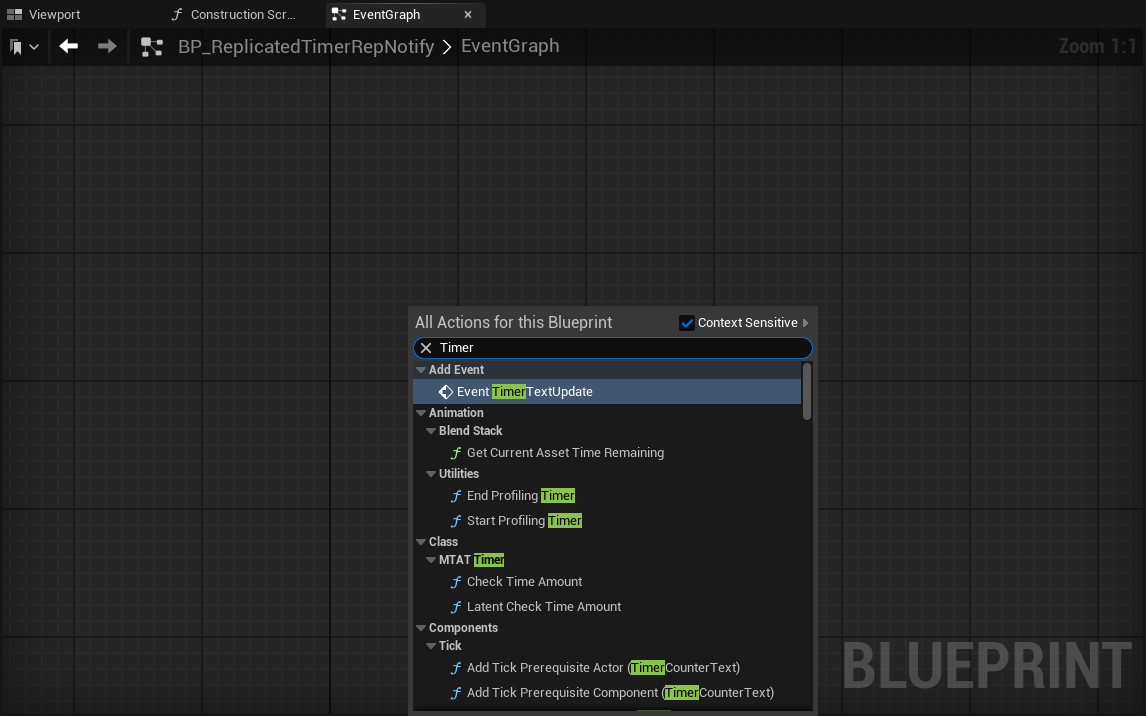
First, right click on the EventGraph and search for the Event TimerTextUpdate
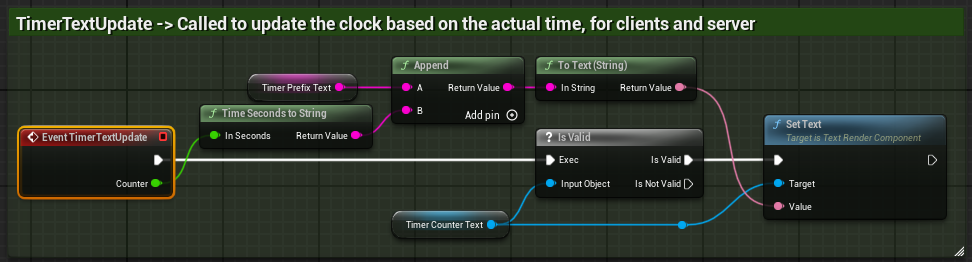
After adding it, first convert the float variable using the Time Seconds to String node, and appending your prefix text, after that, validate your TextRenderComponent using the IsValid node, if it’s valid, set the text to the string after appending both variables.
void AMTReplicatedTimerRepNotify::OnRep_TimerCountdown()
{
	TimerTextUpdate(TimeLeft);
}
The rep notify will be in charge of updating the replicated value of TimeLeft calling TimerTextUpdate for the client.
After having done all of the setup, make sure to include the following headers on your cpp file for the example to work:
- #include “Components/TextRenderComponent.h”
- #include “Net/UnrealNetwork.h”
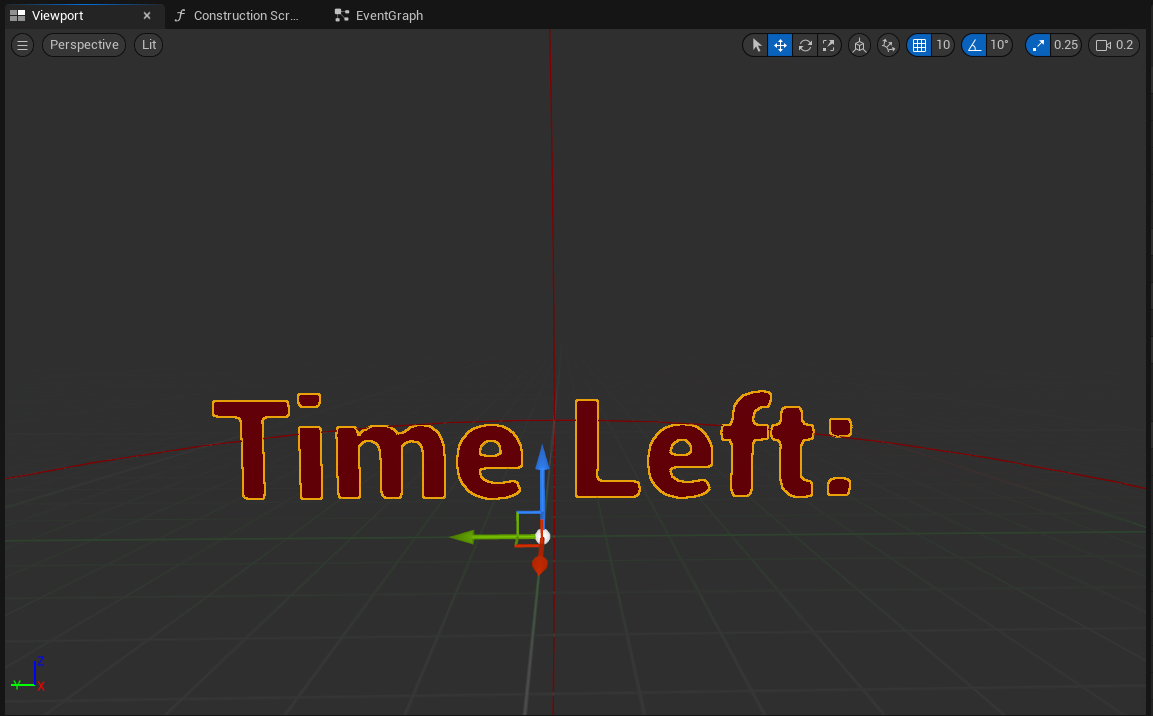
Head to your blueprint file, you should be able to see the text render component, on the viewport. Make sure to tick the replicates option your class settings, sometimes, even if it’s set in the code, blueprint settings can override these.
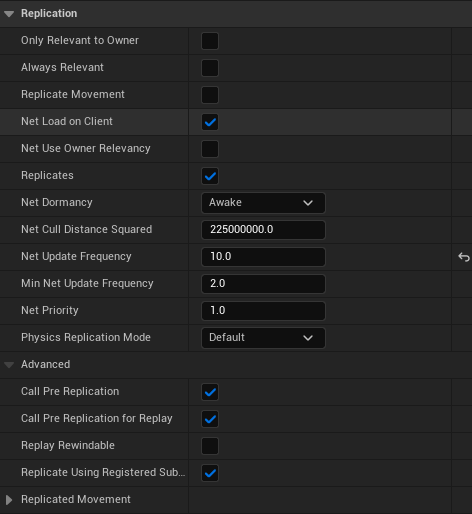
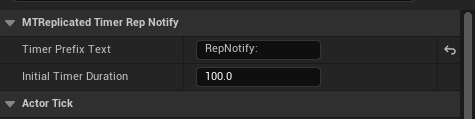
You can also click on your Actor and change the 2 values we set to be editable on blueprints:
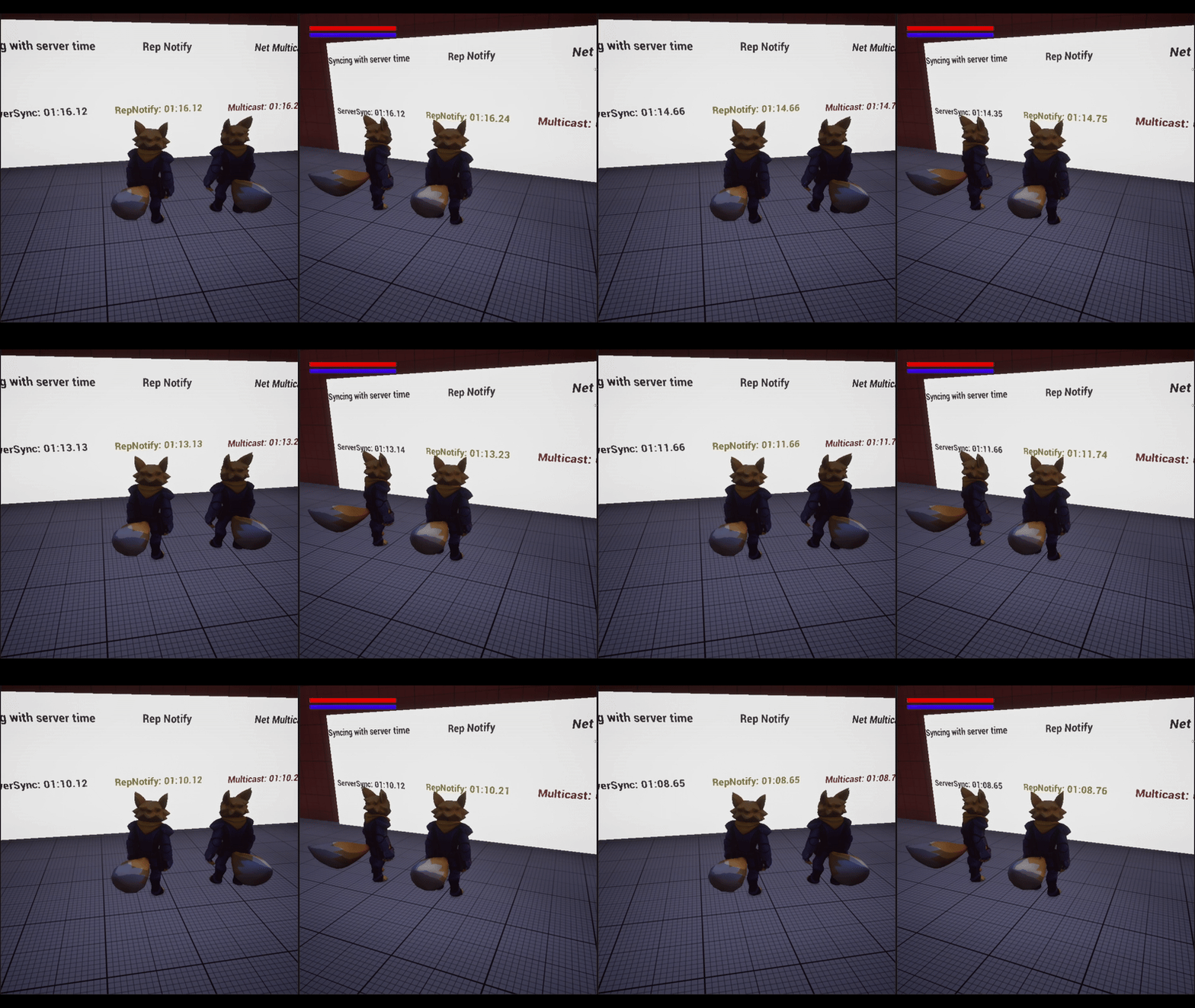
After compiling, you should be able to see how the number goes down, replicating on the client as well.
Creating and implementing an Interface Link to heading
For the next part of the example, we will be adding a way to stop the timer, first, go to your Unreal Editor and add a new interface.
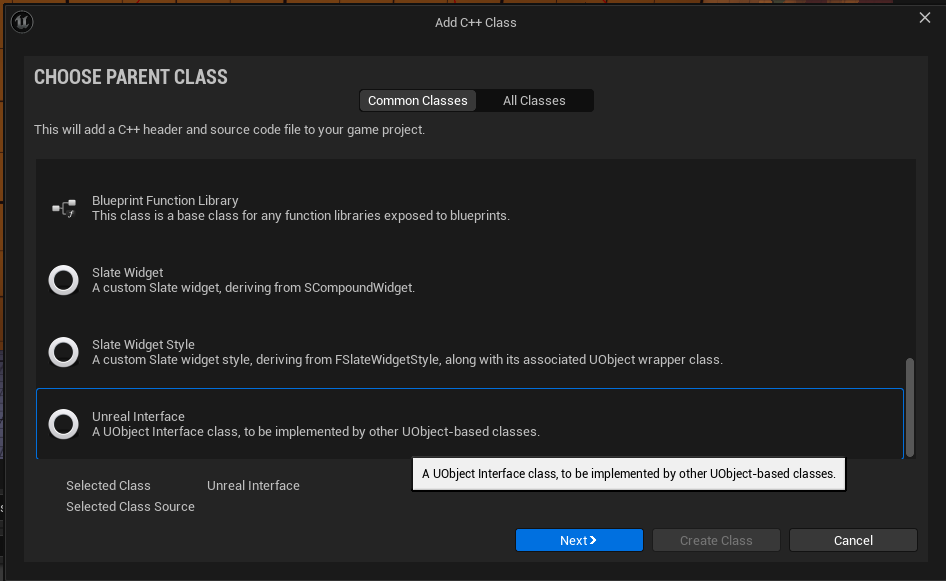
Once the interface code is generated, create an interact function, this function will be implemented in the timer class you just made.
virtual void Interact();
Make sure to also add a definition on the .cpp file this doesn’t have to have functionality, but if needed you can add it.
void IInteractable::Interact()
{
}
Head to your timer class and implement the interface, first add public IInteractable like so:
class MT_API AMTReplicatedTimerRepNotify : public AActor, public IInteractable
Then add the function declaration of the implemented interface to your public section.
public:
	virtual void Interact() override;
On your .h file, add a new variable to check if the timer needs to be stopped
bool StopTimer = false;
void AMTReplicatedTimerRepNotify::Interact()
{
	if (HasAuthority())
	{
		if (StopTimer)
		{
			StopTimer = false;
		}
		else
		{
			StopTimer = true;
		}
	}
}
Change the tick function to take into account the new variable you just created.
void AMTReplicatedTimerRepNotify::Tick(float DeltaTime)
{
	Super::Tick(DeltaTime);
	if (HasAuthority() && not StopTimer)
	{
		CountDownTimer(DeltaTime);
	}
}
After adding this code, go to your actor’s blueprint and add a Sphere Collision.
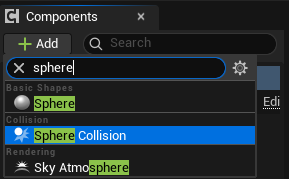
This collision will be used for checking if a player is overlapping with it and the interface to check if the actor is implementing it and calling the function we defined earlier. To execute the desired code, we will be using an input action like the one used for Character Movement.
UPROPERTY(EditAnywhere, BlueprintReadOnly, Category = Input, meta = (AllowPrivateAccess = "true"))
UInputAction* ActorInteraction;
We will be using this input action for our function. bind the input action on your SetupPlayerInputComponent
EnhancedInputComponent->BindAction(ActorInteraction, ETriggerEvent::Started, this, &AMTCharacter::InteractWithActor);
Then, for the functionality, Obtain a TArray of type AActor* once the input is clicked, the code will get all of the overlapping actors, then check each one of them until it finds the actor that is implementing the Interactable interface.
void AMTCharacter::InteractWithActor()
{
	TArray<AActor*> Result;
	GetOverlappingActors(Result, AActor::StaticClass());
	for (AActor* CurrentActor : Result)
	{
		if (CurrentActor->GetClass()->ImplementsInterface(UInteractable::StaticClass()))
		{
			Cast<IInteractable>(CurrentActor)->Interact();
			break;
		}
	}
}
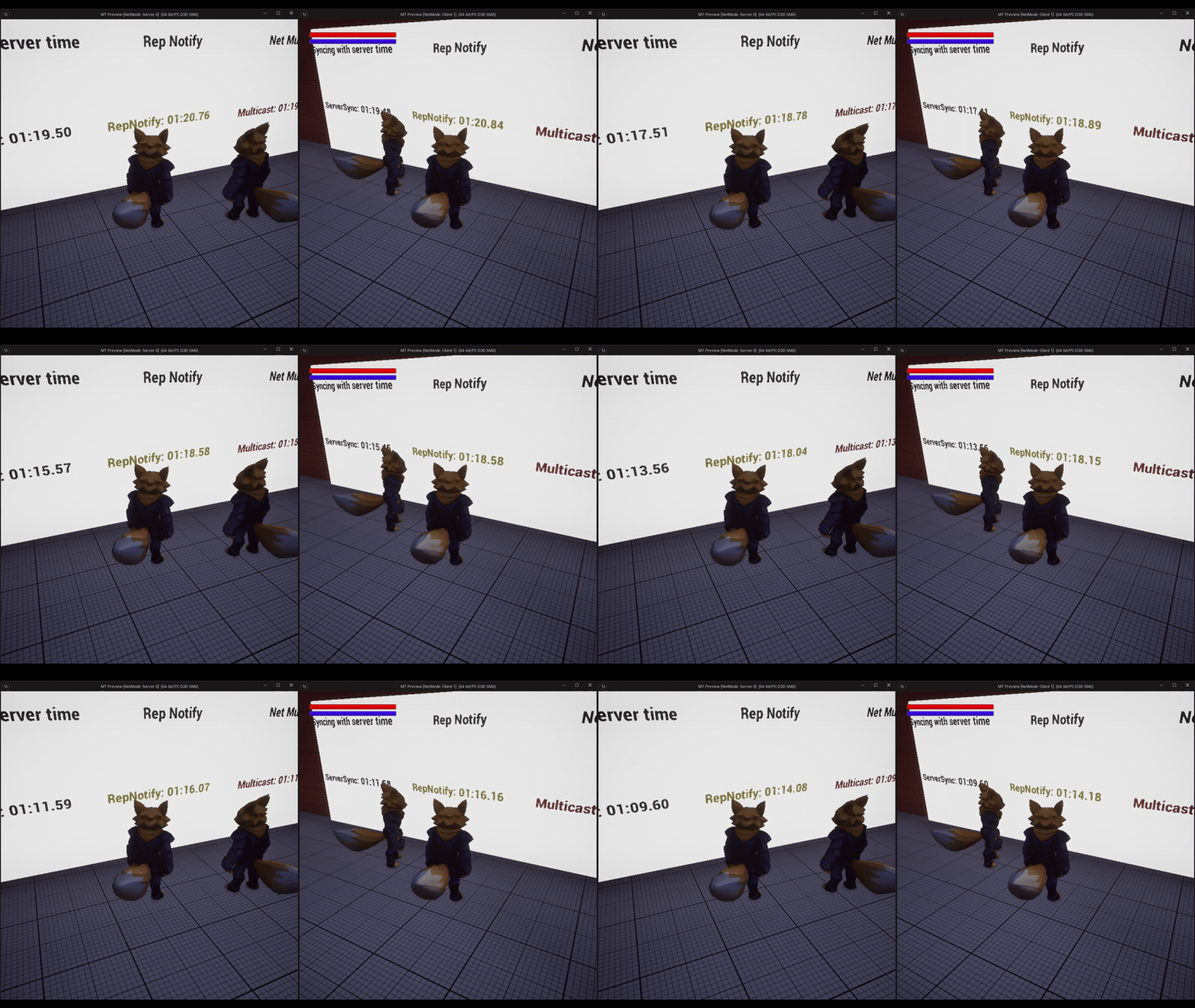
After obtaining said actor, call the Interact() function, once you compile, you should be able to see how when you press the input the timer resets on both the server and the clients.
Other methods for sinchronizing a clock Link to heading
Using a Multicast function Link to heading
For this example, instead of using an OnRepNotify to replicate our variable, we will be calling TimerTextUpdate using a multicast function. Head to your .h file and add the following declarations:
UPROPERTY(BlueprintReadWrite)
class UTextRenderComponent* MyTimerCounterText;

UPROPERTY(EditAnywhere, BlueprintReadOnly)
FString TimerPrefixText;

UPROPERTY(EditAnywhere, BlueprintReadWrite)
float InitialTimerDuration = 100;

UPROPERTY(Replicated)
float TimeLeft = 0;

bool StopTimer = false;

UFUNCTION(NetMulticast, Reliable)
void MulticastTimerTextUpdate(float Time);

void MulticastTimerTextUpdate_Implementation(float Time);

void CountDownTimer();

UFUNCTION(BlueprintImplementableEvent)
void TimerTextUpdate(float Counter);

FTimerHandle TimeHandler;

virtual void Interact() override;

virtual void GetLifetimeReplicatedProps(TArray<FLifetimeProperty>& OutLifetimeProps) const override;

virtual void Tick(float DeltaTime) override;
We will be using some of the code from the previous example.
- A text render component to display the timer.
- A prefix variable to display text before the actual time.
- A multicast function to update the timer’s text t all clients.
- A timer handle to change the value of the timer.
- The countdown function that will be called using the timer handler.
- The Interact function from our interface.
Remember to add the IInteractable interface to your .h file
class MT_API AMTReplicatedTimerMulticast : public AActor, public IInteractable
Now, head to your .cpp file.
AMTReplicatedTimerMulticast::AMTReplicatedTimerMulticast()
{
	PrimaryActorTick.bCanEverTick = true;
	bReplicates = true;

	FString Text = "Time Left:";
	MyTimerCounterText = CreateDefaultSubobject<UTextRenderComponent>(*Text);
	MyTimerCounterText->SetText(FText::FromString("Time Left:"));
	MyTimerCounterText->SetTextRenderColor(FColor::Red);
	MyTimerCounterText->SetXScale(1.0f);
	MyTimerCounterText->SetYScale(1.0f);
	MyTimerCounterText->SetHorizontalAlignment(EHorizTextAligment::EHTA_Center);

	TimeLeft = InitialTimerDuration;
}
Initialize your UTextRenderComponent on the constructor, as well as assigning the timer’s initial duration.
void AMTReplicatedTimerMulticast::BeginPlay()
{
	Super::BeginPlay();
	if (HasAuthority())
	{
		GetWorldTimerManager().SetTimer(TimeHandler, this, &AMTReplicatedTimerMulticast::CountDownTimer, 0.1f, true);
	}
}
On your BeginPlay, start the time handler, call the function CountDownTimer every 0.1f seconds.
void AMTReplicatedTimerMulticast::GetLifetimeReplicatedProps(TArray<FLifetimeProperty>& OutLifetimeProps) const
{
	Super::GetLifetimeReplicatedProps(OutLifetimeProps);
	DOREPLIFETIME(AMTReplicatedTimerMulticast, TimeLeft);
}
Add your TimeLeft variable to the GetLifetimeReplicatedProps so that it replicates properly.
void AMTReplicatedTimerMulticast::CountDownTimer()
{
	if (TimeLeft > 0 && not StopTimer)
	{
		TimeLeft -=0.1f;
		MulticastTimerTextUpdate(TimeLeft);
	}
	if (TimeLeft <= 0.0)
	{
		TimeLeft = 0.0;
		TimerTextUpdate(TimeLeft);
	}
}
The CountDownTimer function will be called only for the server, and the MulticastTimerTextUpdate will be the one to update the values for each client.
Since TimerTextUpdate has a UFUNCTION(BlueprintImplementableEvent) macro, we will be defining it on our blueprint.
Create a blueprint class based on this current class like we did before. Then, open the event graph and add the following nodes to update the values and append the prefix text to the timer.
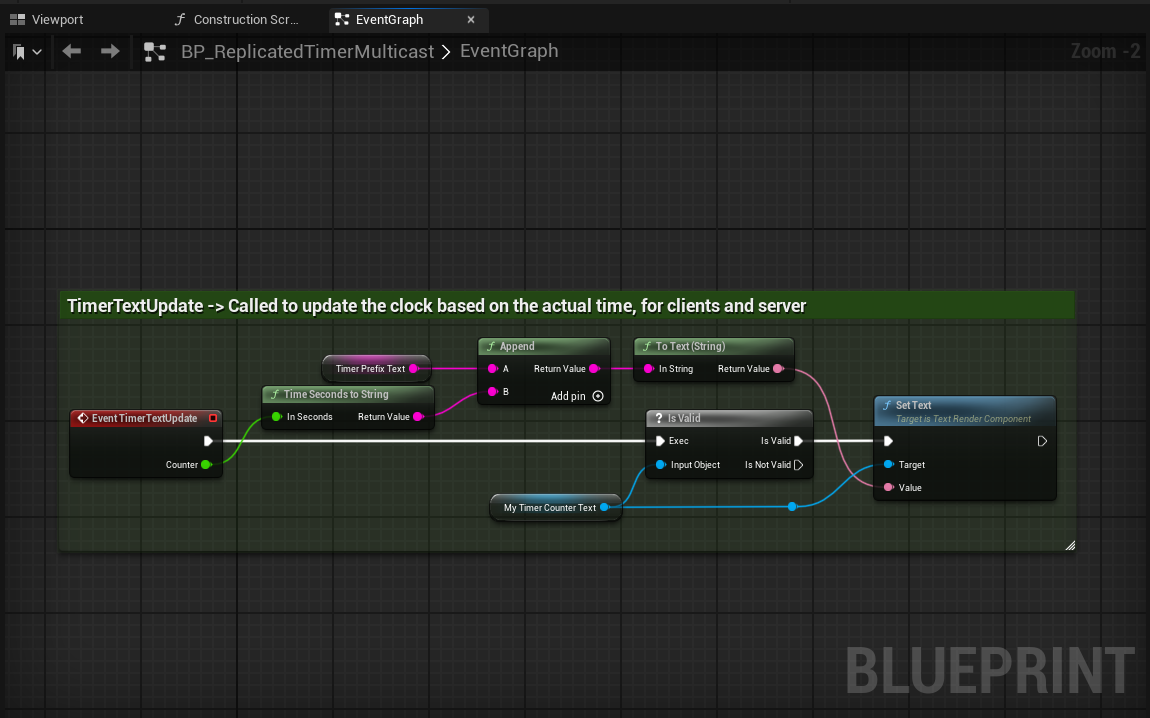
Make sure to follow the code on the previous example to implement the Interact function using the IInteractable interface.
void AMTReplicatedTimerMulticast::Interact()
{
	if (HasAuthority())
	{
		if (StopTimer)
		{
			StopTimer = false;
		}
		else
		{
			StopTimer = true;
		}
	}
}
After compiling and adding the sphere collision to your actor, you should be able to see the timer go down for both your server and clients.
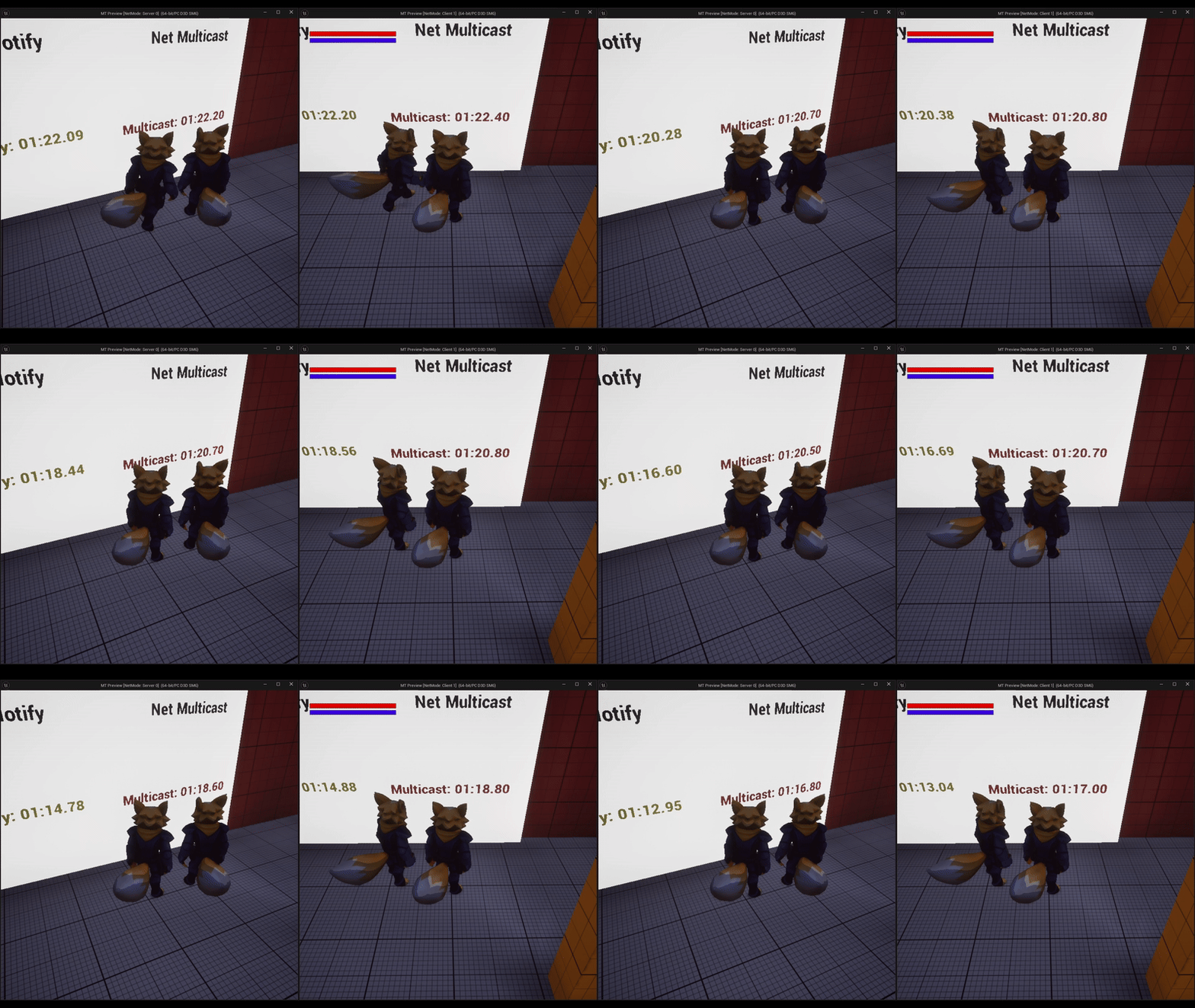
These 2 options are useful but on multiplayer games we need a way to optimize the bandwith as much as possible. This next example will make it so that the timer only synchoronizes every x amount of seconds and making sure it does so even if the timer stops for a few seconds.
UPROPERTY(BlueprintReadWrite)
class UTextRenderComponent* MyTimerCounterText;

UPROPERTY(EditAnywhere, BlueprintReadOnly)
FString TimerPrefixText;

UPROPERTY(EditAnywhere, BlueprintReadWrite)
float InitialTimerDuration = 100;

float TimeLeft = 0;

float FrozenTime = 0.0f;

UPROPERTY(Replicated)
float ExtraTime = 0.0f;

UFUNCTION(NetMulticast, Reliable)
void MulticastUpdateFrozenTime(float NewFrozenTime);

void MulticastUpdateFrozenTime_Implementation(float NewFrozenTime);

float TimeSyncFrequency = 2.0;

float TimeSyncRunningTime = 0.0;

UPROPERTY(ReplicatedUsing = OnRep_TimerStopped)
bool StopTimer = false;

FTimerHandle ReSyncTimerHandle;

UFUNCTION()
void OnRep_TimerStopped();

void CheckTimeSync(float DeltaTime);

void SyncTimerForClient();

UFUNCTION(BlueprintImplementableEvent)
void TimerTextUpdate(float Counter);

virtual void Interact() override;

virtual void Tick(float DeltaTime) override;
virtual void GetLifetimeReplicatedProps(TArray<FLifetimeProperty>& OutLifetimeProps) const override;
Using some components from the previous examples, use a UTextRenderComponent for the timer, values for the timer, the multicast function will be used to update to all clients the time that passed while the timer was stopped. Variables to set the synchronization frequency and another replicated variable to check if the timer was stopped.
CheckTimeSync and SyncTimerForClient will make sure to keep the clients’ timer updated and as close as possible to the server time, TimerTextUpdate just updates the text containing the time and Interact will now stop the timer.
AMTReplicatedTimer::AMTReplicatedTimer()
{
	PrimaryActorTick.bCanEverTick = true;
	bReplicates = true;

	FString Text = "Time Left:";
	MyTimerCounterText = CreateDefaultSubobject<UTextRenderComponent>(*Text);
	MyTimerCounterText->SetText(FText::FromString("Time Left:"));
	MyTimerCounterText->SetTextRenderColor(FColor::Black);
	MyTimerCounterText->SetXScale(1.0f);
	MyTimerCounterText->SetYScale(1.0f);
	MyTimerCounterText->SetHorizontalAlignment(EHorizTextAligment::EHTA_Center);
}
Initialize your text component and set the actor to replicate on your class constructor.
void AMTReplicatedTimer::BeginPlay()
{
	Super::BeginPlay();
	TimeLeft = InitialTimerDuration;
}
On BeginPlay set TimeLeft equal to the desired timer duration.
void AMTReplicatedTimer::GetLifetimeReplicatedProps(TArray<FLifetimeProperty>& OutLifetimeProps) const
{
	Super::GetLifetimeReplicatedProps(OutLifetimeProps);
	DOREPLIFETIME(AMTReplicatedTimer, StopTimer);
	DOREPLIFETIME(AMTReplicatedTimer, ExtraTime);
}
Set the variables that need to be replicated, these will be used for syncing the timer after it has stopped
void AMTReplicatedTimer::Tick(float DeltaTime)
{
	Super::Tick(DeltaTime);
	if (TimeLeft >= 0.0 && not StopTimer)
	{
		TimeLeft -= DeltaTime;
		TimerTextUpdate(TimeLeft);
	}
	if (StopTimer && HasAuthority())
	{
		FrozenTime += DeltaTime;
	}
	if (TimeLeft <= 0.0)
	{
		TimeLeft = 0.0;
		TimerTextUpdate(TimeLeft);
	}
	CheckTimeSync(DeltaTime);
}
On the tick function we will run the timer and update the text for the clients and the server, if the timer has stopped, the server will register the time that has passed since the timer stopped.
void AMTReplicatedTimer::CheckTimeSync(float DeltaTime)
{
	TimeSyncRunningTime += DeltaTime;
	if (not HasAuthority() && TimeSyncRunningTime > TimeSyncFrequency)
	{
		SyncTimerForClient();
		TimeSyncRunningTime = 0.0;
	}
}
CheckTimeSync will only use the variables declared before to update the clients’ timer after a few seconds.
void AMTReplicatedTimer::SyncTimerForClient()
{
	APlayerController* PlayerController = UGameplayStatics::GetPlayerController(GetWorld(), 0);
	if (PlayerController && PlayerController->IsLocalController())
	{
		AMTPlayerController* AMTPlayerC = Cast<AMTPlayerController>(PlayerController);
		if (AMTPlayerC)
		{
			AMTPlayerC->ServerRequestServerTime(GetWorld()->GetTimeSeconds());
			GEngine->AddOnScreenDebugMessage(-1, 5.0f, FColor::Green, FString::Printf(TEXT("Extra time-> %f"), ExtraTime));
			TimeLeft = ExtraTime + InitialTimerDuration - AMTPlayerC->GetServerTime();
		}
	}
}
For this function we will need to make some changes to the player controller, to accurately sync the timer with the server we need to take into account the time it takes for the client to send data and receive a response from the server, this will be explained in the next section of the example. TimeLeft will need some adjustments here, first add the extra time, this value will add the time that the timer was stopped. InitialTimerDuration and AMTPlayerC->GetServerTime() will be used to get the time that the client joined the game and subtract the original timer to adjust it as best as possible.
void AMTReplicatedTimer::TimerTextUpdate(float Counter)
{
	FString MyText = "Time Left: ";
	MyText.Append(UKismetStringLibrary::TimeSecondsToString(Counter));
	FText ResultText = FText::FromString(MyText);
	if (MyTimerCounterText)
	{
		MyTimerCounterText->SetText(ResultText);
	}
}
This function will stay the same for the most part, you’ll only need to adjust it so that it can display the float variable properly.
void AMTReplicatedTimer::Interact()
{
	if (HasAuthority())
	{
		if (StopTimer)
		{
			MulticastUpdateFrozenTime(FrozenTime);
			StopTimer = false;
		}
		else
		{
			StopTimer = true;
		}
	}
}
Interact will now only change the value of the variable to stop the timer and when it begins to run again, it’ll call a multicast function to replicate the time that had passed to all clients.
void AMTReplicatedTimer::MulticastUpdateFrozenTime_Implementation(float NewFrozenTime)
{
	ExtraTime = NewFrozenTime;
}

void AMTReplicatedTimer::OnRepTimerStopped()
{
}
These 2 last functions will only be used to replicate variables.
Now that the code for the timer is set, head to your player controller .h, here we will declare some functions that will be used to get the values we need to adjust the timer per client.
	UFUNCTION(Server, Reliable)
	void ServerRequestServerTime(float TimeOfClientRequest);

	UFUNCTION(Client, Reliable)
	void ClientReportServerTime(float TimeOfClientRequest, float TimeServerReceivedClientRequest);

	float GetServerTime();

	virtual void ReceivedPlayer() override;

	float ClientServerDelta = 0.0f;
Add these to the public section of your file since we will be calling them from the timer actor. Now on your .cpp file create the definitions for the functions:
void AMTPlayerController::ServerRequestServerTime_Implementation(float TimeOfClientRequest)
{
    float ServerTimeOfReceipt = GetWorld()->GetTimeSeconds();
    ClientReportServerTime(TimeOfClientRequest, ServerTimeOfReceipt);
}

void AMTPlayerController::ClientReportServerTime_Implementation(float TimeOfClientRequest, float TimeServerReceivedClientRequest)
{
    float RoundTripTime = GetWorld()->GetTimeSeconds() - TimeOfClientRequest;
    float CurrentServerTime = TimeServerReceivedClientRequest + (0.5f * RoundTripTime);
    ClientServerDelta = CurrentServerTime - GetWorld()->GetTimeSeconds();
}
The client will send a request to the server, the server will take the time of the request, and send back the time it received it, then the client will calculate the time it took to get the message to the server and back. CurrentServerTime will take the time the server received the request and add half of the RoundTripTime, then, we calculate ClientServerDelta which will subtract the current time from the server time.
float AMTPlayerController::GetServerTime()
{
    return GetWorld()->GetTimeSeconds() + ClientServerDelta;
}
GetServerTime will return the time synced with the server. Finally, to calculate ClientServerDelta as soon as the player joins, we use the overriden function ReceivedPlayer.
void AMTPlayerController::ReceivedPlayer()
{
    Super::ReceivedPlayer();
    if (IsLocalController())
    {
        ServerRequestServerTime(GetWorld()->GetTimeSeconds());
    }
}
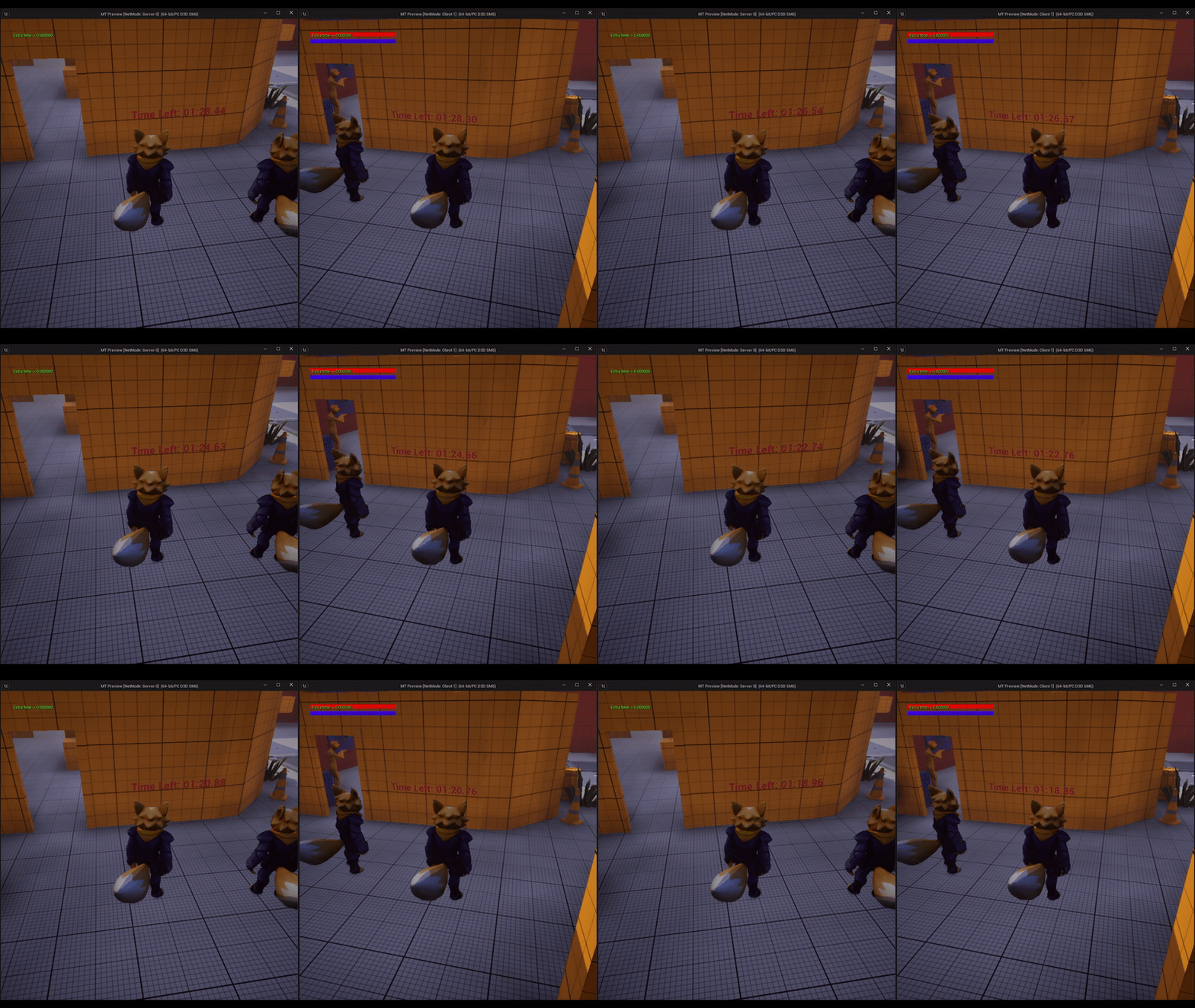
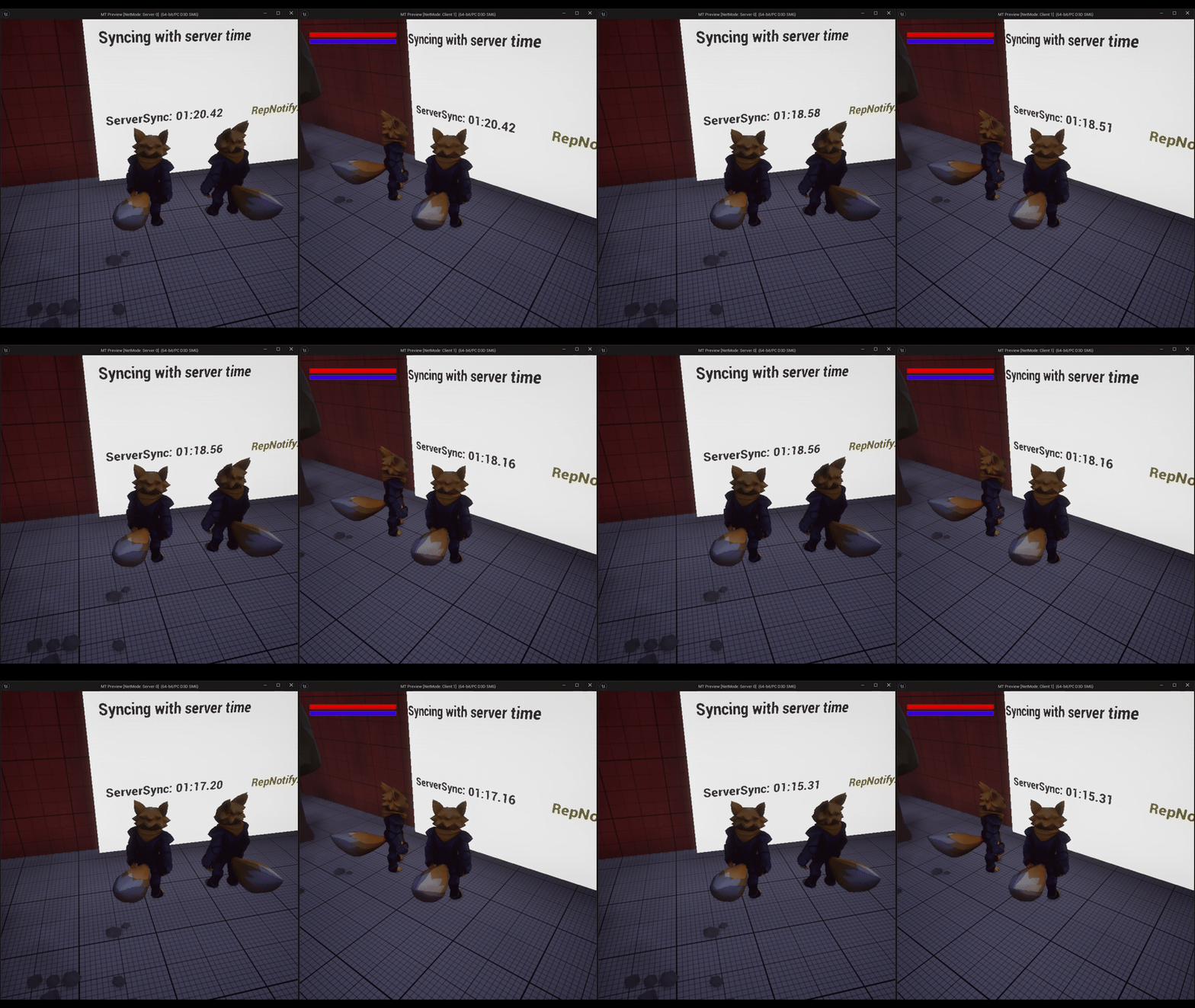
Now that we have all the code added, you can go into your viewport, play as a listen server with one client and you will see how the timer counts down and syncs with the server after a few seconds and it also stays synchronized after pausing the timer.
References Link to heading
- Interfaces in Unreal Engine | Unreal Engine 5.5 Documentation | Epic Developer Community. (2025). Epic Games Developer. https://dev.epicgames.com/documentation/en-us/unreal-engine/interfaces-in-unreal-engine
- UKismetStringLibrary::TimeSecondsToString | Unreal Engine 5.5 Documentation | Epic Developer Community. (2025). Epic Games Developer. https://dev.epicgames.com/documentation/en-us/unreal-engine/API/Runtime/Engine/Kismet/UKismetStringLibrary/TimeSecondsToString
- Ulibarri, S. U. (n.d.). 124. Syncing Client and Server Time [Video]. Udemy. Retrieved April 21, 2025, from https://www.udemy.com/course/unreal-engine-5-cpp-multiplayer-shooter/learn/lecture/31670018#overview