Prediction keys (GAS) Link to heading
As studied in previous topics, GAS implements several nodes and tools to allow for easier multiplayer replication tasks, in this article we will explain how prediction keys work.
Prediction Keys allow clients to start abilities before the server to predict certain results that will be corroborated by the server once the logic executes there too. In case certain information doesn’t match with server version the corrections will be applied on the clients. Here are some of the elements that the clients can predict:
- Abilities activation
- Movement
- Tags modification
- Gameplay Effects
- Modifications in the attributes
- Montages
- Gameplay Cue Events
Prediction key workflow Link to heading
When an ability is activated, it generates a prediction key, creating a prediction window. During this window, the client does not need to request predictions from the server regarding changes applied by the ability. Once the ability concludes or is interrupted, the prediction window and key become invalid. At this point, the server verifies the predicted changes, and if they are deemed invalid, it instructs the client to roll them back (the validation will be only replicated to the original client who created the replicated key, not to all clients).
Taking into account that predicted changes can be rolled back by the server, it’s not recommended to predict events that can be hardly rolled back like character eliminations, scenary destruction, level changes, etcetera.
Prediction key invalidation Link to heading
GAS provides a node called InvalidateClientPredictionClient to invalide the prediction key for the abilities.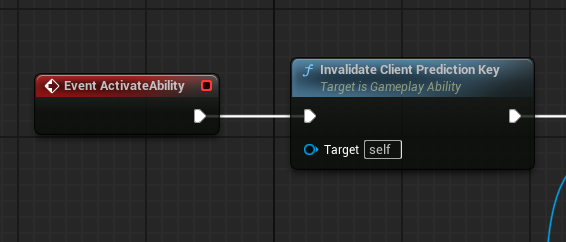
To exemplify the difference between using and not using a prediction key you can create an ability where you invalidate it and add impulse to your character.
Once your ability is ready you have to simulate bad connection between the clients and the server to notice it easily. You can set the network emulation clicking on the three dots by play button and selecting Advanced Settings….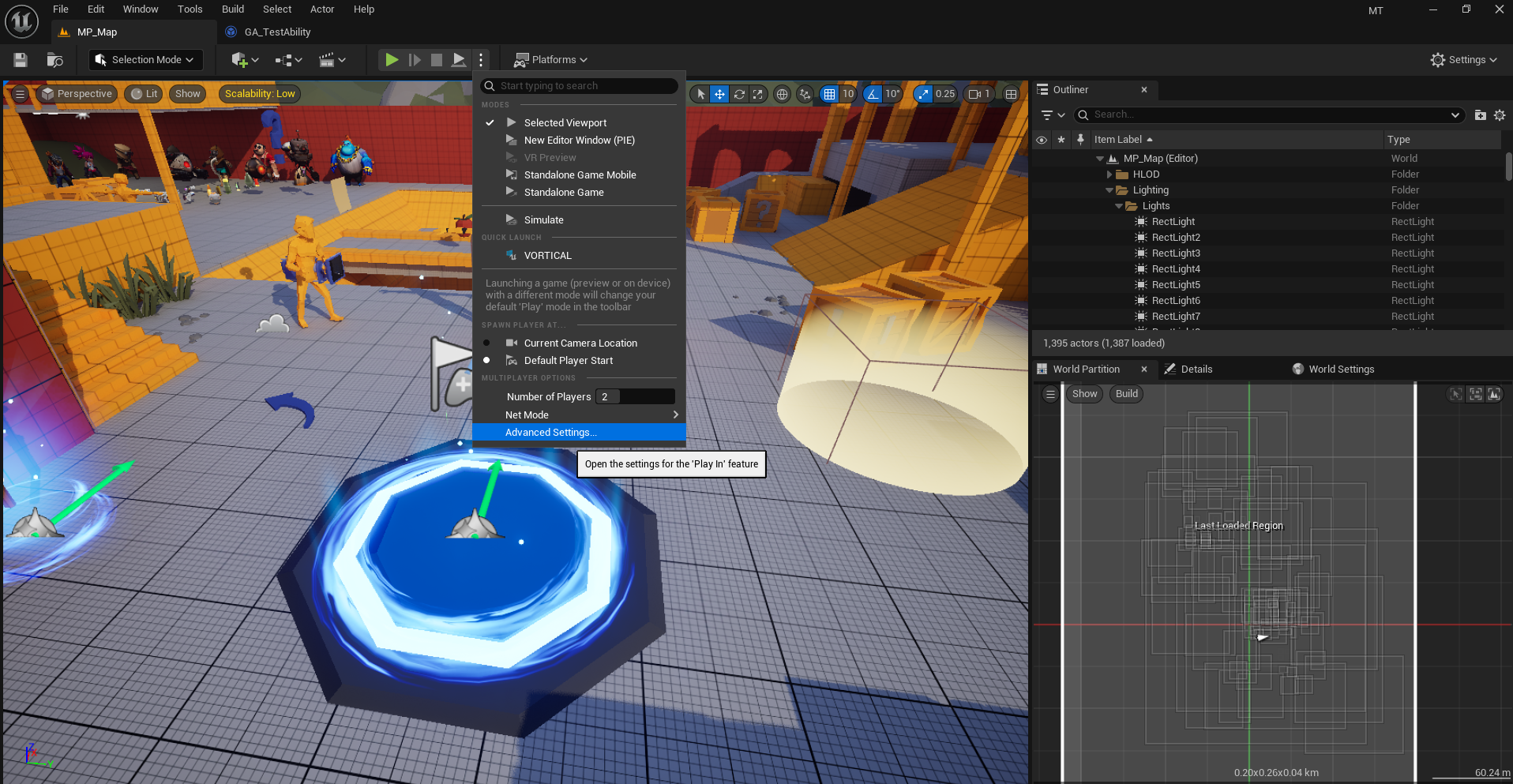
Then you have to set Network Emulation Profile to Bad.
References Link to heading
- FPredictionKey. (2025). Epicgames.com. https://dev.epicgames.com/documentation/en-us/unreal-engine/API/Plugins/GameplayAbilities/FPredictionKey
- Tranek. (s. f.-b). GitHub - tranek/GASDocumentation: My understanding of Unreal Engine 5’s GameplayAbilitySystem plugin with a simple multiplayer sample project. GitHub. https://github.com/tranek/GASDocumentation?tab=readme-ov-file#concepts-ge-cooldown
Authors Link to heading
◀️ UI (GAS) | Prediction Key▶️