Network Testing Link to heading
##Lag Simulation The Unreal Editor includes various settings to facilitate multiplayer testing, such as adjusting the number of players, running multiple Play windows, and enabling a dedicated server. These options can be accessed through the Modes drop-down menu in the Toolbar.
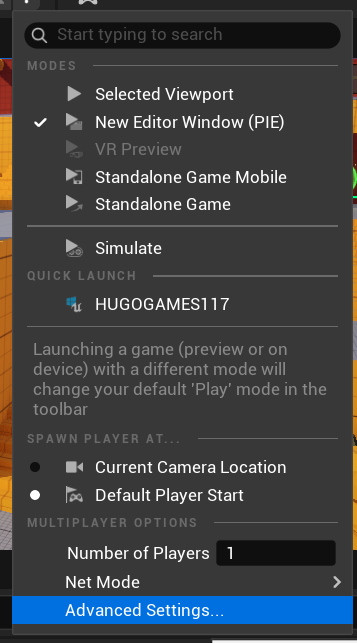
In this section, there are some relevant options under the “Multiplayer options” section.
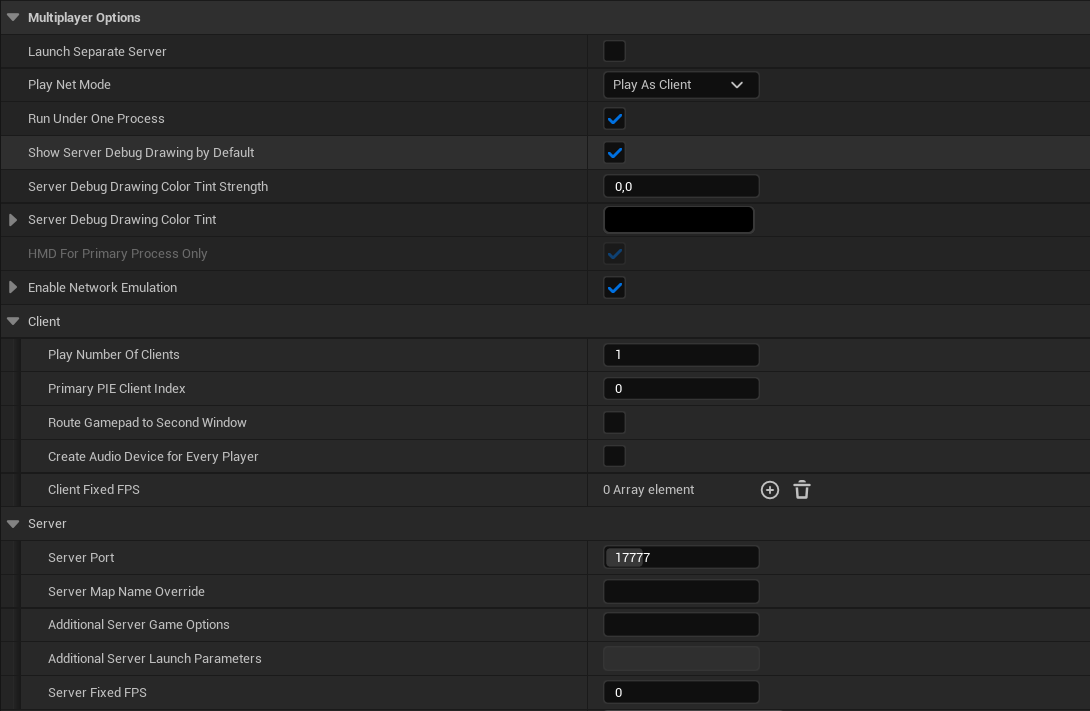
Network Emulation Link to heading
This tool is useful for detecting and resolving issues related to latency, packet loss, and network fluctuations that could affect gameplay in online environments. Emulation options: • Average: Simulates a standard-quality connection with moderate latency. • Bad: Introduces higher latency and packet loss to replicate unstable connections. • Custom: Allows manual configuration of latency, jitter, and packet loss values.
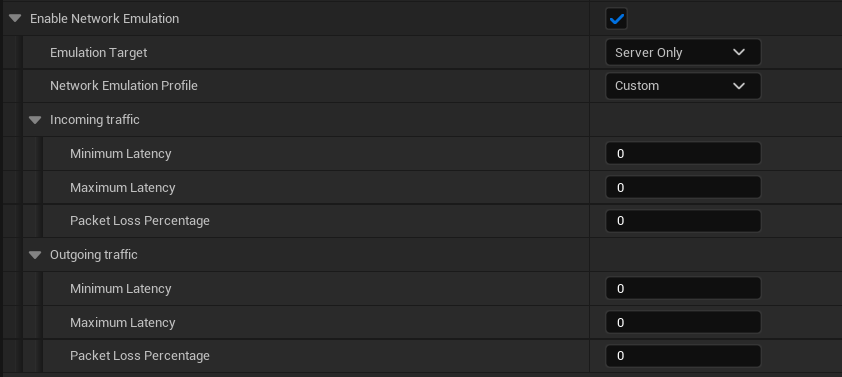
Latency: Latency is the time delay between sending and receiving data over a network. In online gaming, it represents the time between a player’s input and the game’s response. Measured in milliseconds (ms), lower latency ensures smoother gameplay, while higher latency can lead to lag and delayed actions.
Jitter: Jitter is the fluctuation in latency over time, causing data packets to arrive at inconsistent intervals. In online gaming, high jitter can lead to lag, stuttering, and a disrupted gameplay experience.
Packet Loss: Packet loss happens when data packets fail to reach their destination, often due to network issues. In online gaming, it causes missing or delayed data, leading to lag and a poor experience.
Upon launching the game, we are playing in the Standalone mode selected by default, but there are two other modes available to test the games:
Listen Server: The Server Play Mode in Unreal Engine lets developers simulate multiplayer gameplay with one instance acting as the server and others as clients. The server handles game logic, player synchronization, and data exchange, while clients send player actions and receive game updates.
Client: A client in multiplayer games is an instance of the game that connects to a server to interact in the game world. The client sends player actions and receives updates from the server, but does not manage the main game logic or world state.
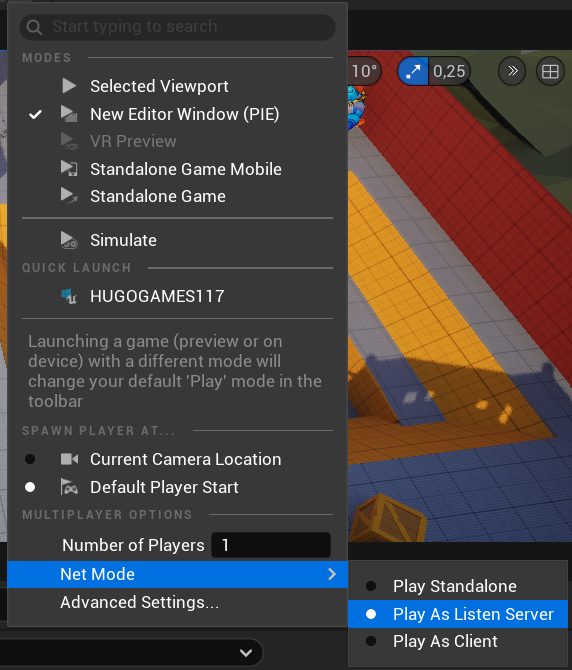
Demonstration when testing with the “Bad” option as a client:

It is possible to perform these tests in Unreal Engine builds using the following commands:
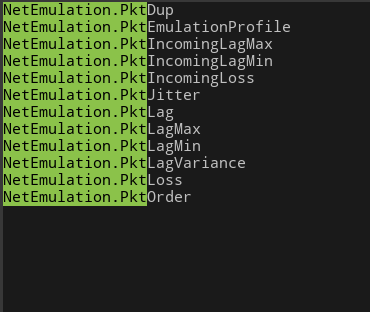
Example:
NetEmulation.PktJitter