Net Dormancy Link to heading
Setting an actor’s NetDormancy in Unreal Engine can significantly optimize server performance in multiplayer projects. It helps reduce server CPU usage by several milliseconds per frame, especially in games with many replicated actors that don’t change frequently.
Types of net dormancy Link to heading
- DORM_Never: This actor never goes dormant.
- DORM_Awake: This actor is not dormant and is considered for replication.
- DORM_DormantPartial: This actor is dormant on some connections, but not all.
- DORM_Initial: This actor is initially dormant on all connections.
- DORM_DormantAll: This actor is initially dormant on all connections.
The following code belongs to a C++ class named MTNetDormancyActor, which is derived from an actor. In this class, a sphere changes color, and this change is replicated to the clients.
In the class constructor, we will create our mesh component, define an initial color for our mesh, and finally, set our class to be replicated.
AMTNetDormancyActor::AMTNetDormancyActor()
{
	PrimaryActorTick.bCanEverTick = true;
	MeshComponent = CreateDefaultSubobject<UStaticMeshComponent>(TEXT("MeshComponent"));

	CurrentColor = FLinearColor::White;
	bReplicates = true;
}
Our variable CurrentColor is being replicated with an OnRep event named OnRep_ColorChanged. So, when our variable changes value, OnRep_ColorChanged will be called and execute the code that will allow us to create a dynamic material instance and assign our variable CurrentColor as the value of our material’s color parameter, named “Color”.
void AMTNetDormancyActor::Server_ChangeMaterialColor_Implementation()
{
	FLinearColor RandomColor = FLinearColor(FMath::FRand(), FMath::FRand(), FMath::FRand(), 1.0f);
	CurrentColor = RandomColor;
}
void AMTNetDormancyActor::OnRep_ColorChanged()
{
	if (MeshComponent)
	{
		UMaterialInterface* Material = MeshComponent->GetMaterial(0);

		if (Material)
		{
			UMaterialInstanceDynamic* DynamicMaterial = MeshComponent->CreateAndSetMaterialInstanceDynamic(0);

			if (DynamicMaterial)
			{
				DynamicMaterial->SetVectorParameterValue("Color", CurrentColor);
			}
		}
	}
}
Our event replicated on the server will call the SetNetDormancy function, which receives a parameter called NewState of type ENetDormancy.
void AMTNetDormancyActor::Server_SetDormancyState_Implementation(ENetDormancy NewState)
{
	if (HasAuthority())
	{
		SetNetDormancy(NewState);
	}
}
In our BeginPlay() event, we will execute GetWorldTimerManager().SetTimer. This line of code will cause the event we pass as the third parameter to execute repeatedly at the interval set in the fourth parameter. In this case, the mesh will change color every second.
void AMTNetDormancyActor::BeginPlay()
{
	Super::BeginPlay();

	if (HasAuthority())
	{
		GetWorldTimerManager().SetTimer(ColorChangeTimerHandle, this, &AMTNetDormancyActor::Server_ChangeMaterialColor, 1.0f, true);
	}
}
In the last part of the code, we register our CurrentColor variable in GetLifetimeReplicatedProps. This code ensures that the CurrentColor variable is properly replicated across all networked instances of AMTNetDormancyActor.
void AMTNetDormancyActor::GetLifetimeReplicatedProps(TArray<FLifetimeProperty>& OutLifetimeProps) const
{
	Super::GetLifetimeReplicatedProps(OutLifetimeProps);
	DOREPLIFETIME(AMTNetDormancyActor, CurrentColor);
}
It is important to mention that in order for a client to execute the existing event in the MTNetDormancyActor class, we must call the Server_SetDormancyState event through the Player Controller.
Code in the Player Controller:
void AMTPlayerController::Server_RequestDormancyChange_Implementation(ENetDormancy NewState)
{
    if (HasAuthority())
    {
        TArray<AActor*> FoundActors;
        UGameplayStatics::GetAllActorsOfClass(GetWorld(), AMTNetDormancyActor::StaticClass(), FoundActors);

        for (AActor* Actor : FoundActors)
        {
            AMTNetDormancyActor* DormancyActor = Cast<AMTNetDormancyActor>(Actor);
            if (DormancyActor)
            {
                DormancyActor->Server_SetDormancyState(NewState);
            }
        }
    }
}
In the code, we search for all actors of the AMTNetDormancyActor class, and if they exist, we cast them to our AMTNetDormancyActor class. Then, we can call the Server_SetDormancyState event, which is in the MTNetDormancyActor class.
To execute this event from our player controller, we can use an input from our character or buttons of a widget.
Note The code in our MTNetDormancyActor class is only replicating the color change on the clients. If we want this to happen on the server as well, we need to call OnRep_ColorChanged() in the Server_ChangeMaterialColor_Implementation() event.
void AMTNetDormancyActor::Server_ChangeMaterialColor_Implementation()
{
	FLinearColor RandomColor = FLinearColor(FMath::FRand(), FMath::FRand(), FMath::FRand(), 1.0f);
	CurrentColor = RandomColor;

    OnRep_ColorChanged();
}
Flush Net Dormancy Link to heading
Forces dormant actor to replicate but doesn’t change NetDormancy state (i.e., they will go dormant again if left dormant) Target is Actor.
For the examples shown below, we will see the game running as a client, and the Server_ChangeMaterialColor event will be triggered by buttons in a widget blueprint.
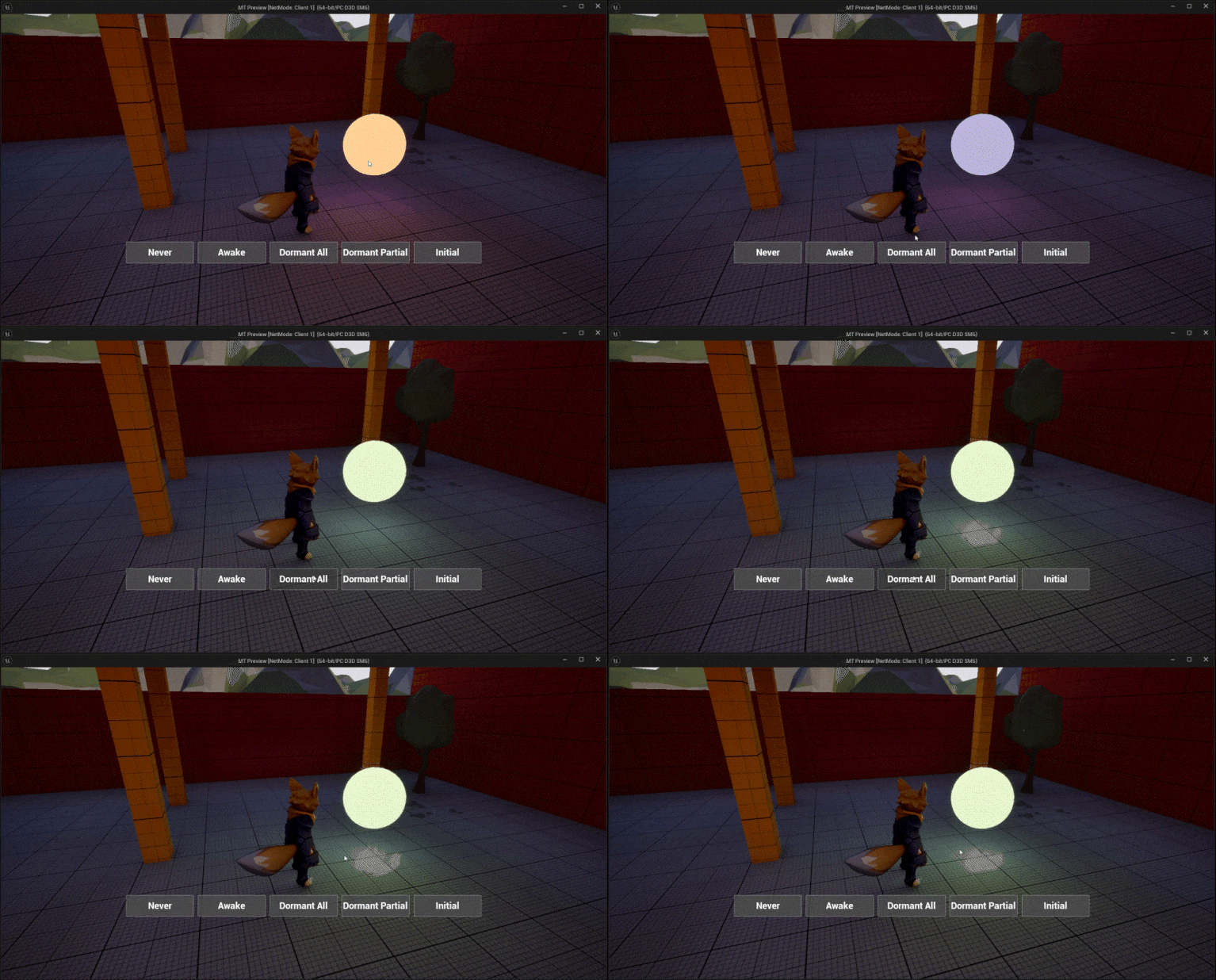 Awake to DormantAll
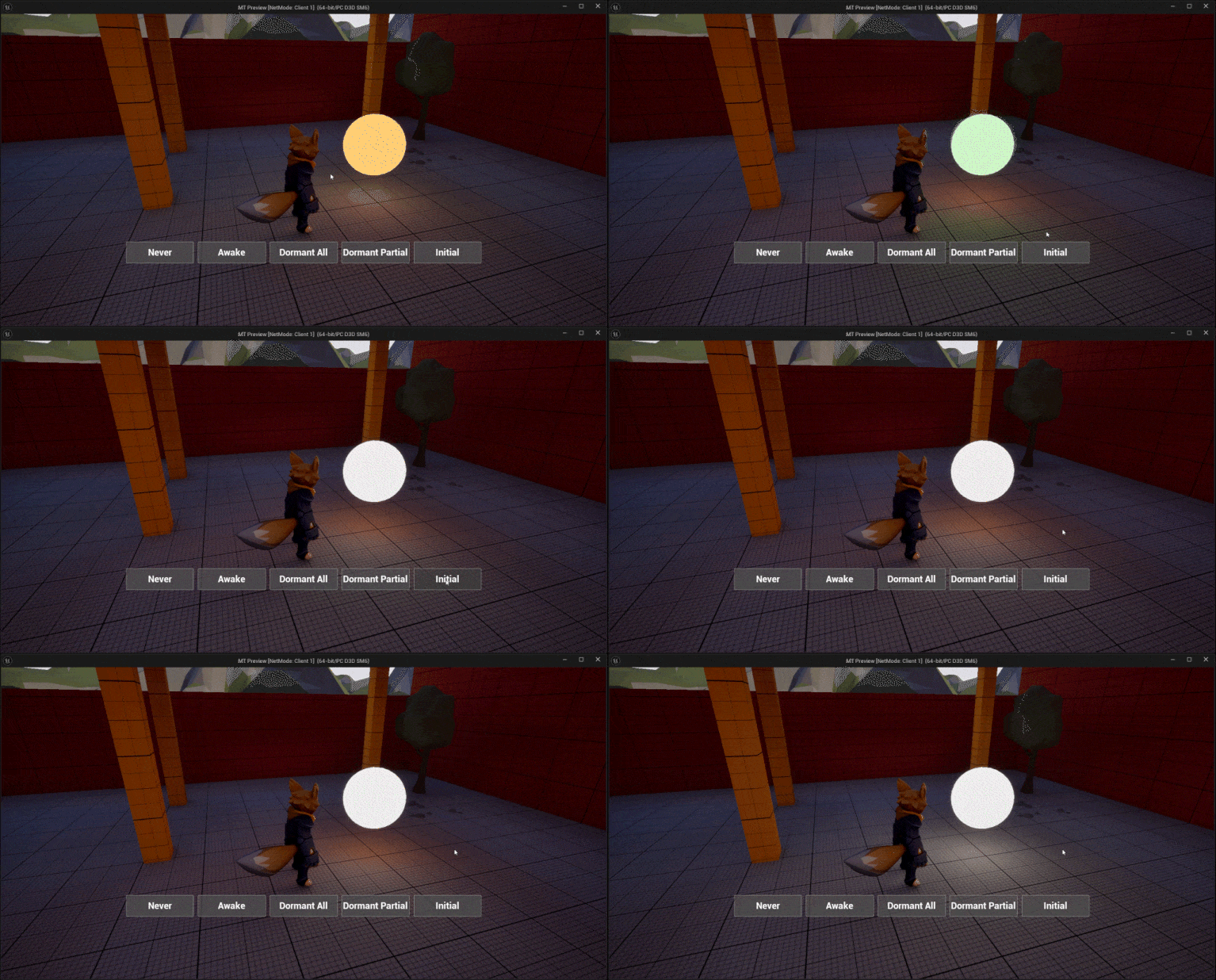 Awake to Initial
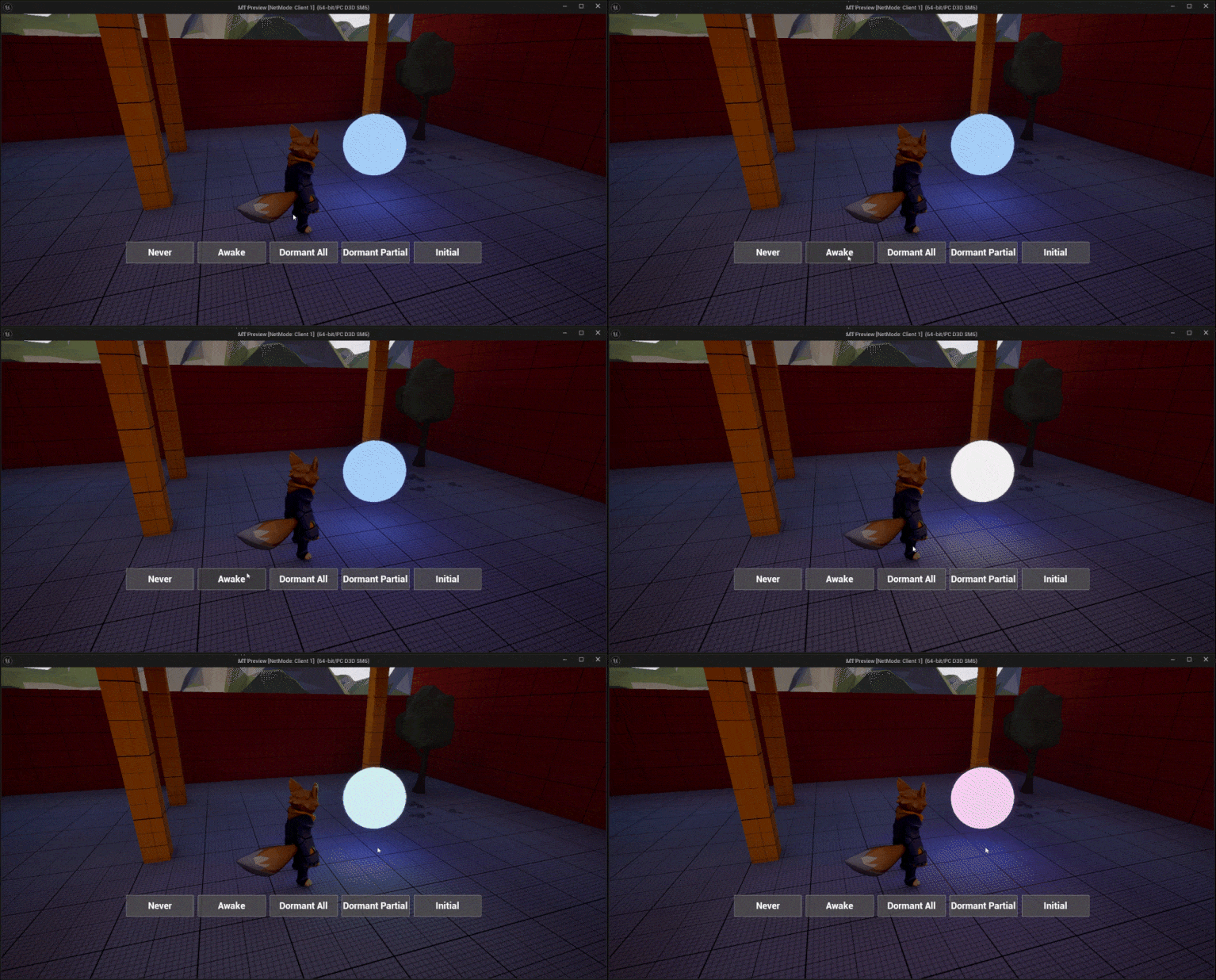 DormantAll to Awake
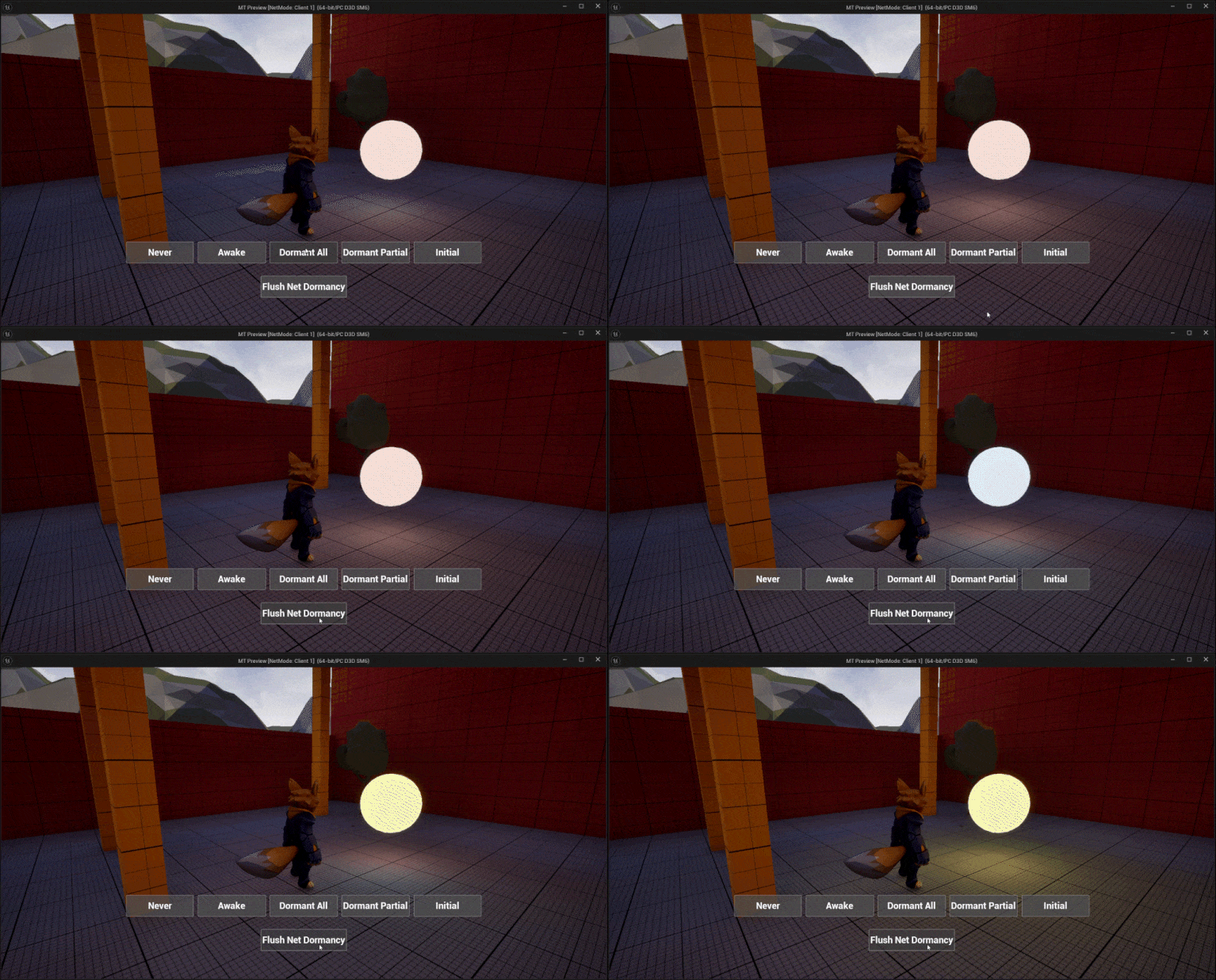 DormantAll To Flush Net Dormancy
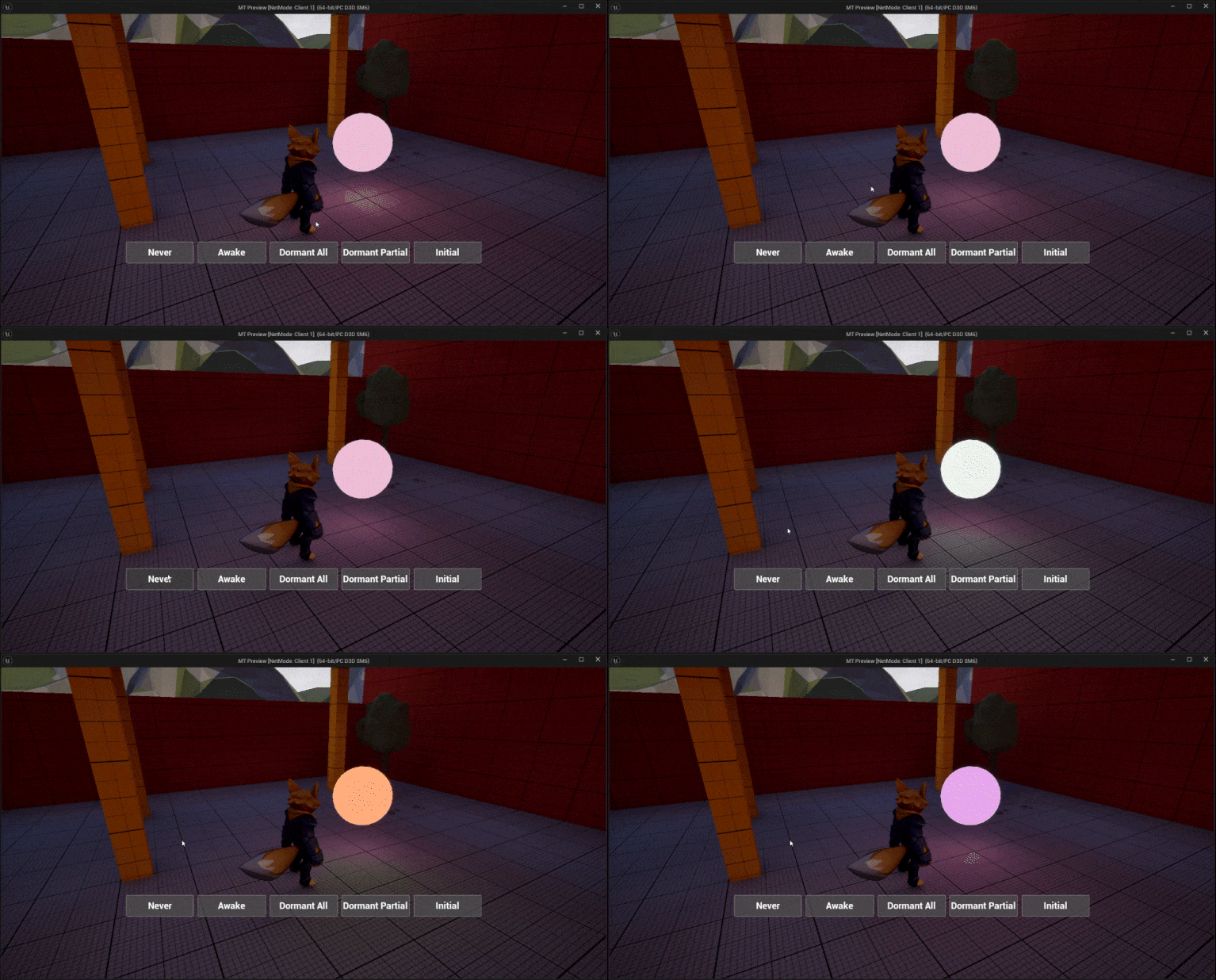 DormantAll To Never
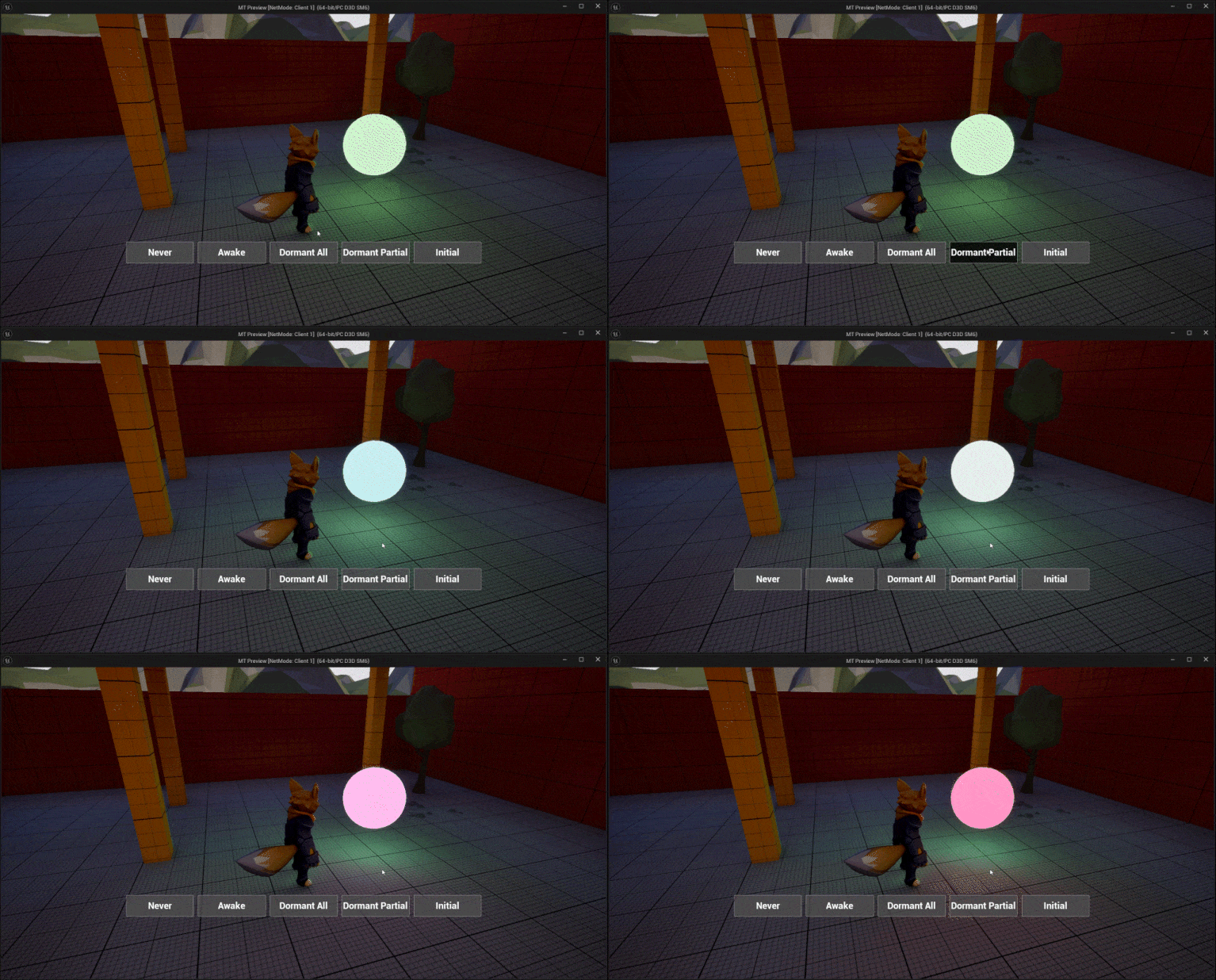 DormantAll To Partial
References Link to heading
Actor Network Dormancy in Unreal Engine | Unreal Engine 5.5 Documentation | Epic Developer Community. (2025). Epic Games Developer. https://dev.epicgames.com/documentation/en-us/unreal-engine/actor-network-dormancy-in-unreal-engine
Optimizing Server Performance with Net Dormancy | Tutorial. (2025). Epic Games Developer. https://dev.epicgames.com/community/learning/tutorials/K8vY/unreal-engine-optimizing-server-performance-with-net-dormancy
Jover-Alvarez, A. (2023, July 2). vorixo. Devtricks. https://vorixo.github.io/devtricks/initial-dormancy/