What is Iris? Link to heading
Iris is a replication system created by Epic Games to work with Unreal’s replication system minimizing dependencies between the gameplay system and the replication system with just a few small changes to the code.
Some of the benefits of implementing Iris are:
- Separation between game thread data and replication using concurrency.
- Efficiency improvements by sharing workloads for multiple objects and connections.
- Allows higher player counts.
- Larger and more interactive worlds.
- Lower server costs.
- Improves the performance by expecting clients to notify to it when a change is made.
Iris components Link to heading
Iris consists of two main components that enable the replication of actors and objects. It achieves this by adding them to the replication system, creating structs to store their information, assigning priorities, applying filters, and providing additional functionalities. The components are:
Replication System Link to heading
The Replication System is an interface that allows Iris to maintain a copy of all networked state data, track state of all the replicated actors, priorize the replication order, serializes data and filters what actors are replicated to which connections. To make those tasks possible the Replication System contains the following components:
- Data Streams: Interfaces which allow data replication.
- Net Serializers: Serializes the data to be transported over the network.
- Prioritization: Priorize the replication of actors and objects based on an order.
- Filtering: Filters the actors that are allowed to replicate based on the connections.
- Replication States: Struct where Replication System will save the data to be replicated and there will always be a copy of the networked state data during the game. Each Replication State has a Replication State Descriptor where you can find the Memory Layout, Conditionals, Filtering, Prioritization and Serialization.
Replication Bridge Link to heading
As its name suggests, Replication Bridge allows the communication between the replication system and the gameplay code. Some of Replication Bridge tasks are:
- Adds and removes actors and objects from the replication system.
- Creates the replication protocols and replication instance protocols.
- Begins and ends the replication process for actors and objects using the functions BeginReplication and EndReplication.
- Instantiate objects for the replication system.
- Serializes and deserializes the data for the instantiated objects.
- Handles the mapping between gameplay instances and net ref handles.
Net Objects Link to heading
Iris represents replicated actors and objects as Net Objects which contains the following elements:
- Replication Protocol: Includes a list of all the replication state descriptors which make the total state of the object. The replication protocols are shared between all instances of the same type.
- Replication Instance Protocol: Contains a list of Replication Fragments which transport the information to allow the interaction with the gameplay code. Unlike Replication Protocol, Replication Instance Protocol are instance-specific.
Replication Fragments Link to heading
Exchange information between the replication system and gameplay code using replication states.
Enabling Iris Link to heading
To enable Iris it’s necessary to enable the plugin in the plugins sections of your project.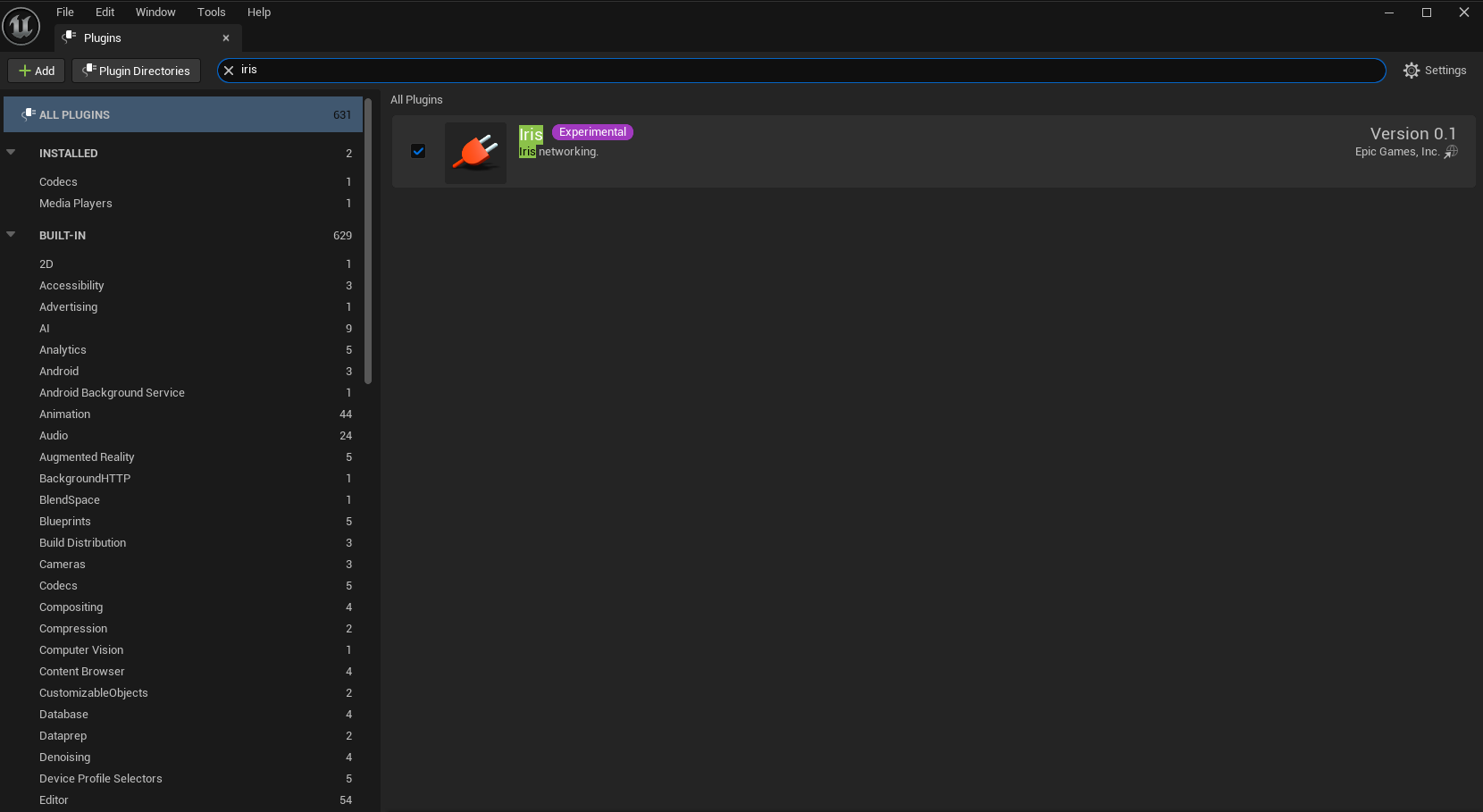
Then you have to enable Iris in your Target.cs file.
public class MTTarget : TargetRules
{
	public MTTarget(TargetInfo Target) : base(Target)
	{
		Type = TargetType.Game;
		DefaultBuildSettings = BuildSettingsVersion.V5;
		IncludeOrderVersion = EngineIncludeOrderVersion.Unreal5_5;
		ExtraModuleNames.Add("MT");
		bUseIris = true; //This line
	}
}
Enable Iris support in your Build.cs file and “IrisCore” to your PublicDependencyModuleNames range.
public class MT : ModuleRules
{
	public MT(ReadOnlyTargetRules Target) : base(Target)
	{
		PCHUsage = PCHUsageMode.UseExplicitOrSharedPCHs;

		// Add "IrisCore" in the end of this string
		PublicDependencyModuleNames.AddRange(new string[] { "Core", "CoreUObject", "Engine", "InputCore", "EnhancedInput", "GameplayAbilities", "GameplayTags", "GameplayTasks", "IrisCore"});

		// This line
		SetupIrisSupport(Target);
	}
}
Finally you have to add the settings in your DefaultEngine.ini file.
[SystemSettings]
; Required for Iris:
net.SubObjects.DefaultUseSubObjectReplicationList=1
; Required if net.Iris.PushModelMode is set to 1:
net.IsPushModelEnabled=1
; Required if using an engine version past 5.1 where Iris compilation is enabled by default:
net.Iris.UseIrisReplication=1
net.Iris.PushModelMode=2
Considerations Link to heading
- Iris is not compatible with Network Prediction Plugin.
- Epic’s documentation says Iris is only available for the source version of the engine, that’s not currently true anymore.
References Link to heading
- Introduction to Iris in Unreal Engine | Unreal Engine 5.5 Documentation | Epic Developer Community. (2025). Epic Games Developer. https://dev.epicgames.com/documentation/en-us/unreal-engine/introduction-to-iris-in-unreal-engine
- Components of Iris in Unreal Engine | Unreal Engine 5.5 Documentation | Epic Developer Community. (2025). Epic Games Developer. https://dev.epicgames.com/documentation/en-us/unreal-engine/components-of-iris-in-unreal-engine
- Iris Filtering in Unreal Engine | Unreal Engine 5.5 Documentation | Epic Developer Community. (2025). Epic Games Developer. https://dev.epicgames.com/documentation/en-us/unreal-engine/iris-filtering-in-unreal-engine