Gameplay Debugger Link to heading
The Gameplay Ability System (GAS) offers debugging commands that provide valuable insights into the state of characters, AI behavior, and GAS components such as tags, abilities, attributes, and effects.
To activate the gameplay debugger for GAS you just have to press the ’ (Apostrophe) key on your keyboard, it will display the following menu where you can select the information you want to know about the character that is in the center of the screen. In case you want to verify the information of your local player you can use Shift + ‘.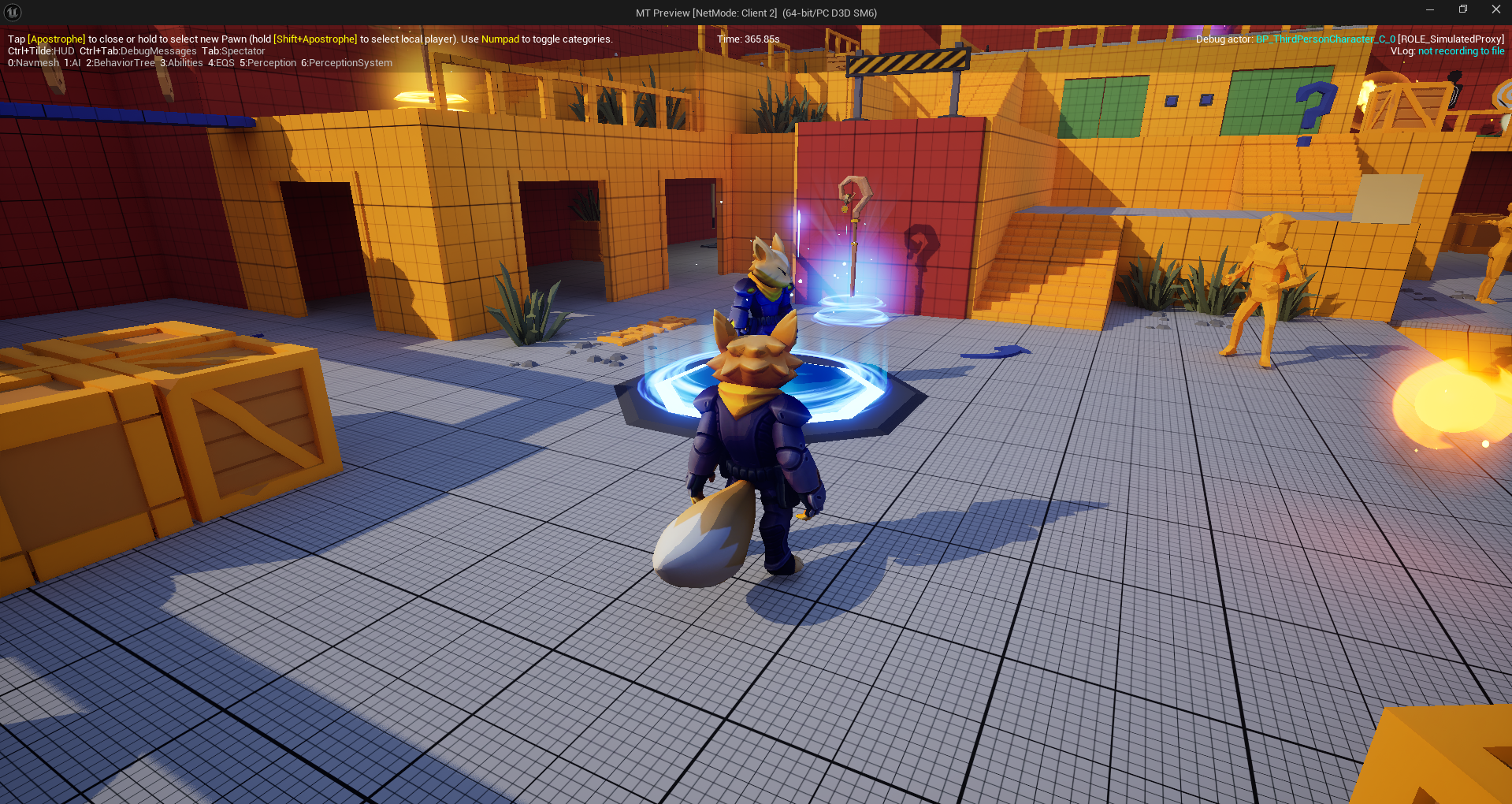 To toggle the visibility of the information you can press the these numbers in your numpad:
- Numpad 1 AI: Name of the pawn controller, pawn name, gameplay tasks, navigation data, among other elements.
- Numpad 2 Behavior tree: Behavior tree states, nodes and conditions.
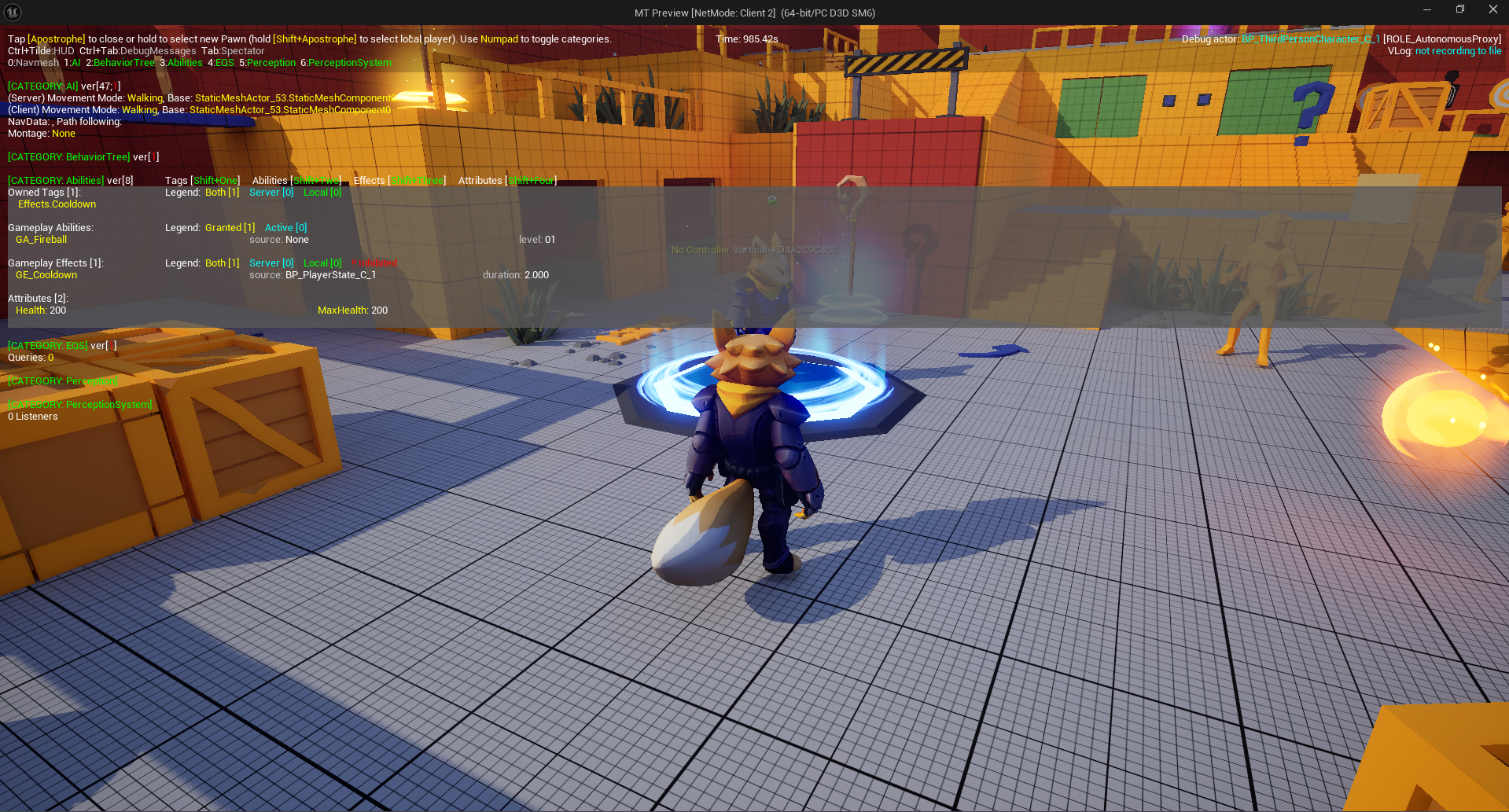
- Numpad 3 Abilities: Gameplay tags, gameplay abilities, gameplay effects and attributes.
- Numpad 4 Environment Query System (EQS): Queries used by AI for decision-making .
- Numpad 5 Perception: The elements in the game that the IA use to detect other actors.
- Numpad 6 Perception systemn: Active sensors, AI perception state, perception history and perception settings.
ShowDebug AbilitySystem Link to heading
Another way to debug the state of a character in your game is opening the Unreal Cmd and writing ShowDebug AbilitySystem, it will display the following screen: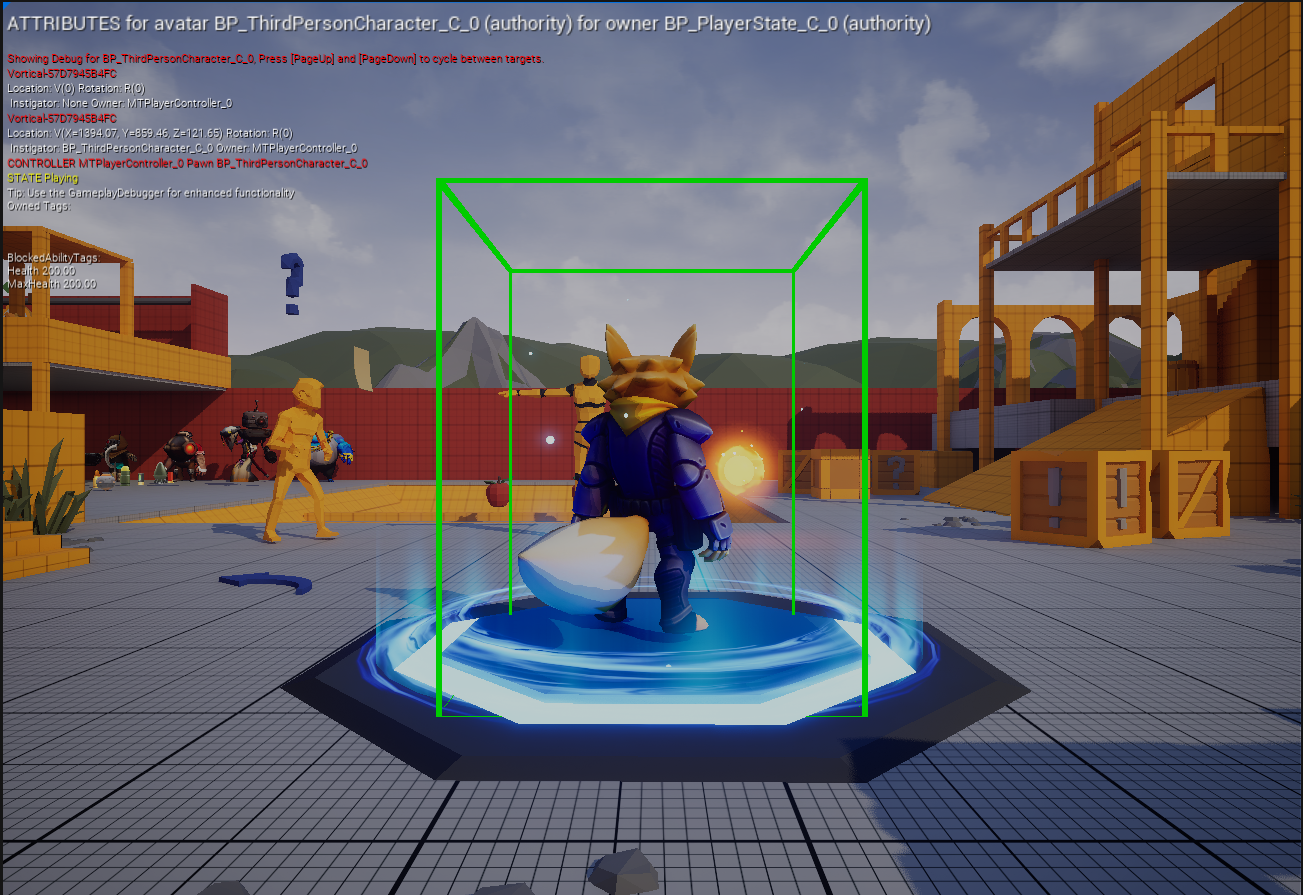 It also displays information like Owned tags, Attributes, Tags or the character transform and you can press Page Up or Page Down in your keybaord to change the debug target to other actor who implements an ability system component.
To accurately track the attributes’ values when you change the target you have to add the following lines in your DefaultGame.ini.
[/Script/GameplayAbilities.AbilitySystemGlobals]
bUseDebugTargetFromHud=true
References Link to heading
- Gameplay Ability System - Debugging Tools | Tutorial. (2025). Epic Games Developer. https://dev.epicgames.com/community/learning/tutorials/Y477/unreal-engine-gas-debugging-tools
- tranek. (2025). GitHub - tranek/GASDocumentation: My understanding of Unreal Engine 5’s GameplayAbilitySystem plugin with a simple multiplayer sample project. GitHub. https://github.com/tranek/GASDocumentation?tab=readme-ov-file#debugging-gd