Abilities with animations Link to heading
Animations are an important part in most abilities, they allow players to know that something is happening and improve their experience. Gameplay Ability System (GAS) includes its own tasks to allow you to play montages and replicate them to all the players.
To play a montage you just need to add the node called PlayMontageAndWait.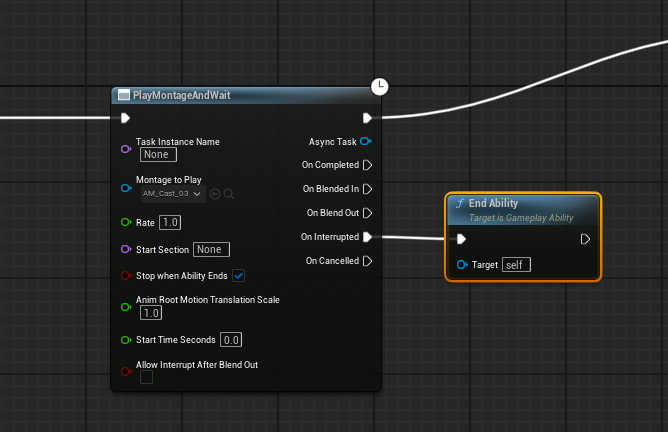
This node is latent, allowing the execution to continue while the montage is playing and enabling you to add logic based on different events. It directly uses the avatar of your ability, so there’s no need to input a skeletal mesh.
It is recommended to add logic to end the ability based on different circumstances, such as the animation being interrupted by another event. This will help avoid cases where the ability remains active indefinitely, preventing you from casting it again.
Gameplay Events Link to heading
Certain abilities require to be synchronized with the animations, for example, a fireball casted when the character makes the launch movement.
To create events that will be triggered in specific periods of time you can create a blueprint that inherits from AnimNotify class and override Received_Notify.
Here you will be able to send your avatar a Gameplay Event using a tag.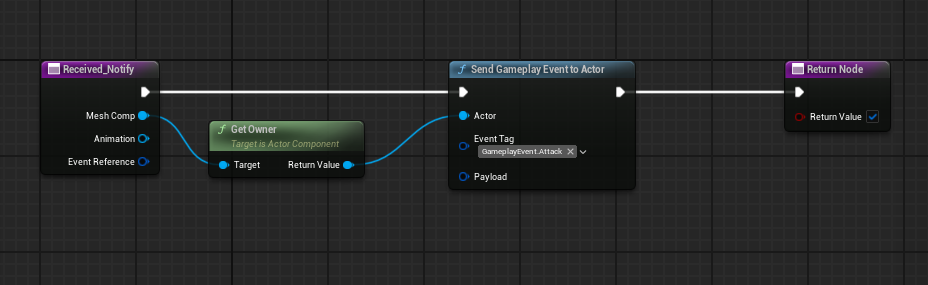
Once your animation notify is finished you can add it to your animation. You can do it by right clicking on the animation timeline and selecting “Add Notify”.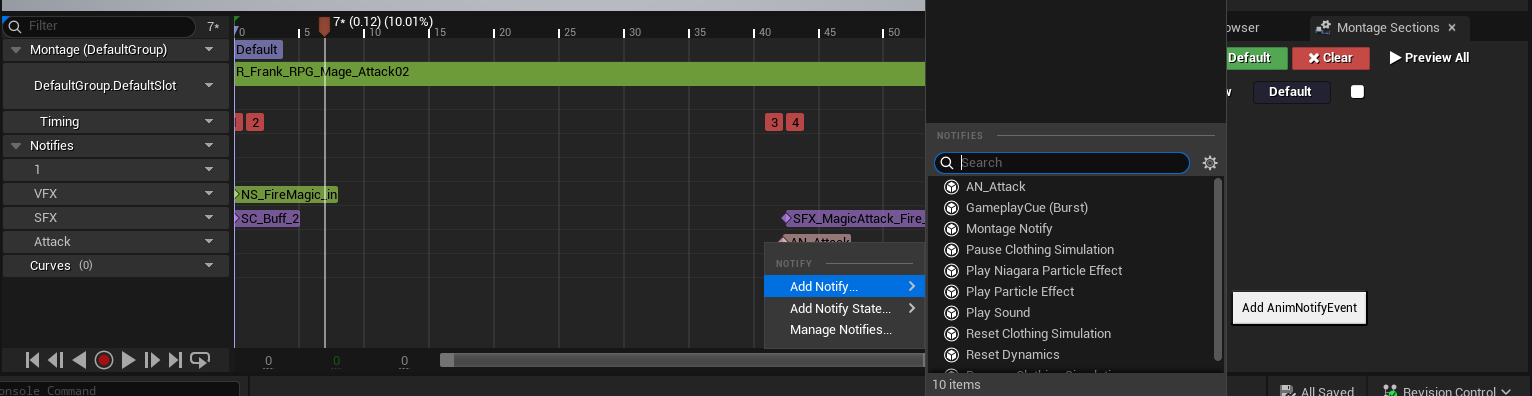
Finally, you just have to call the node WaitGameplayEvent where you have to add the input tag and the logic that will be executed after the node and when the event is received.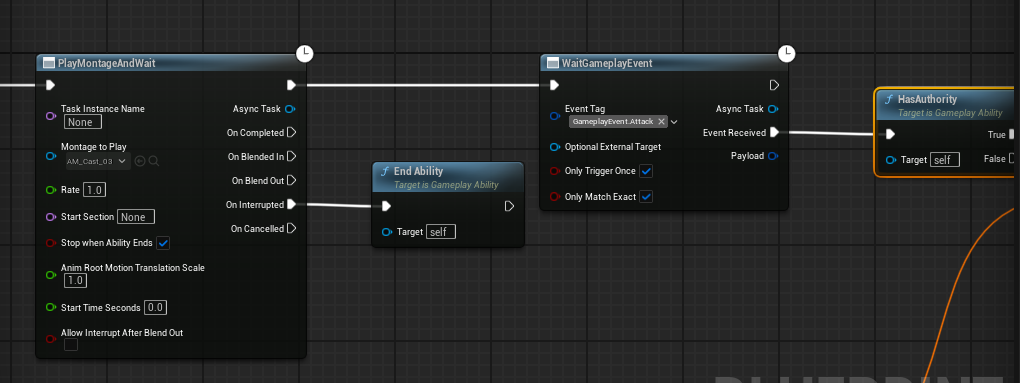
Root Motion Attacks Link to heading
There are also abilities that need to apply movement to the avatar, like dashes or jumps, for those types of abilities GAS includes tasks to move them based on different situations.
One of the most used is ApplyRootMotionMoveToForce which allows you to move a character to a certain direction in a period of time and determine the velocity the character will have after that.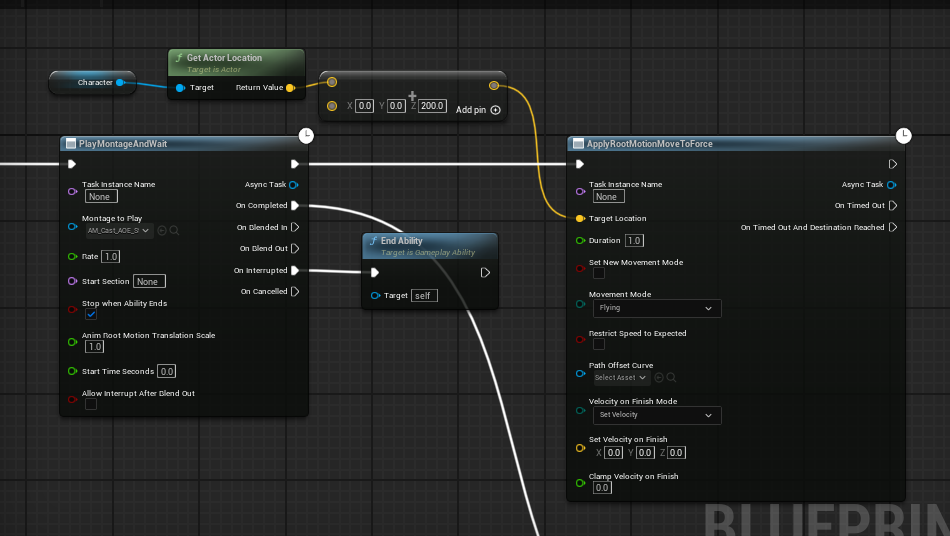
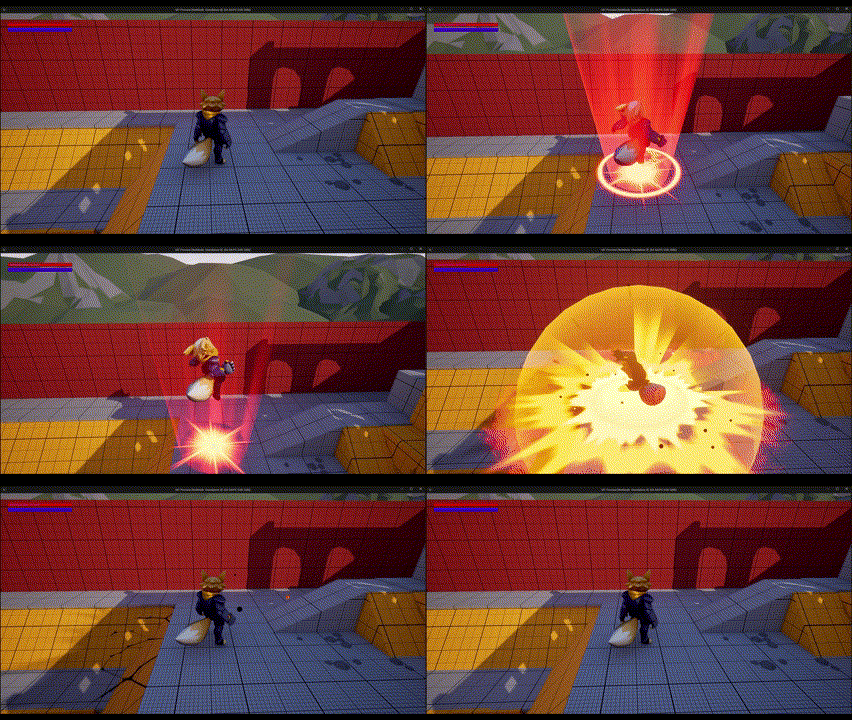
Another common use for root motion is implementing a dash for a character. For this, you can utilize nodes like ApplyRootMotionMoveToForce or ApplyRootMotionConstantForce, as demonstrated in the image below.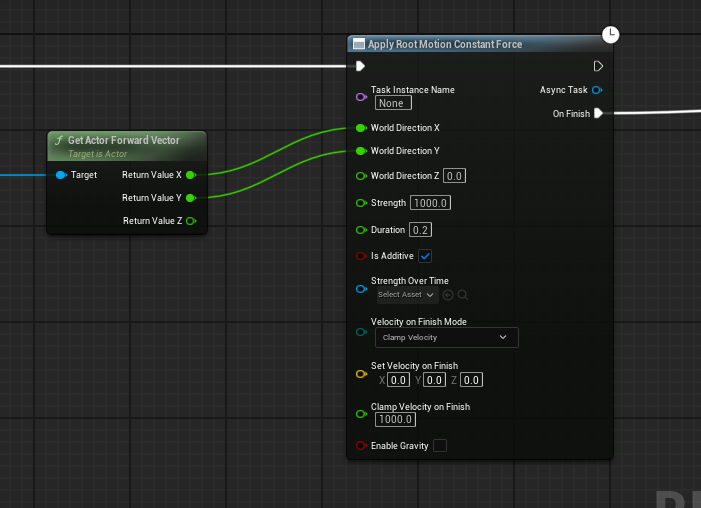
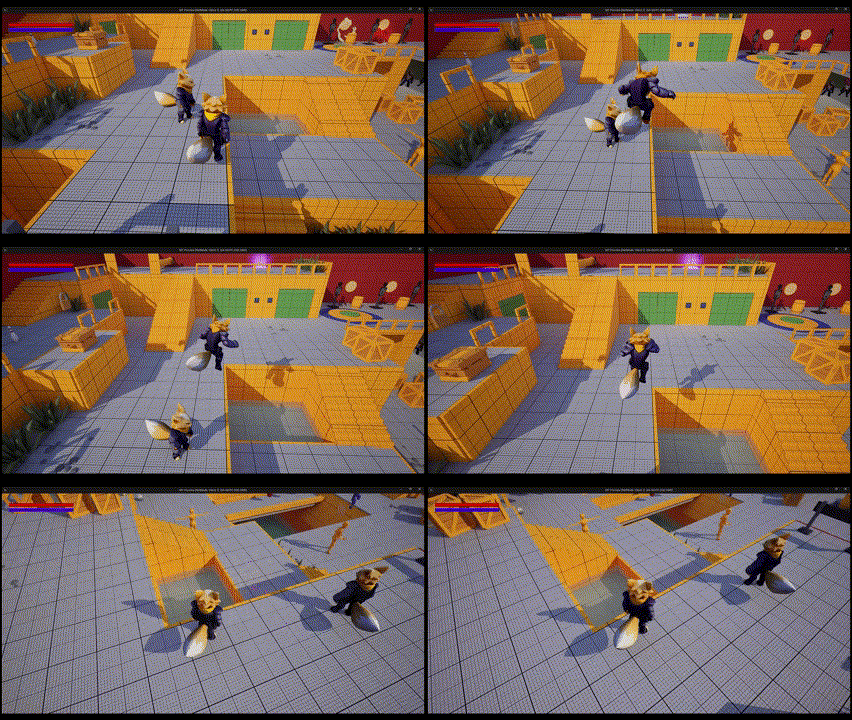
Other types of root motion nodes are:
- ApplyRootMotionJumpForce
- ApplyRootMotionMoveToActorForce
- ApplyRootMotionMoveToComponentForce
- ApplyRootMotionMoveToTargetDataActorForce
- ApplyRootMotionRadialForce
All of these nodes are latent and include different event nodes that can be used to spawn vfx, sounds, actors or apply effects depending on the ability you want to implement and they are replicated automatically.
References Link to heading
- PlayMontageAndWait | Unreal Engine 5.5 Documentation | Epic Developer Community. (2025). Epic Games Developer. https://dev.epicgames.com/documentation/en-us/unreal-engine/BlueprintAPI/Ability/Tasks/PlayMontageAndWait
- Animation Notifies in Unreal Engine | Unreal Engine 5.5 Documentation | Epic Developer Community. (2025). Epic Games Developer. https://dev.epicgames.com/documentation/en-us/unreal-engine/animation-notifies-in-unreal-engine
- Wait Gameplay Event | Unreal Engine 5.5 Documentation | Epic Developer Community. (2025). Epic Games Developer. https://dev.epicgames.com/documentation/en-us/unreal-engine/BlueprintAPI/Ability/Tasks/WaitGameplayEvent
- Apply Root Motion Move to Force | Unreal Engine 5.5 Documentation | Epic Developer Community. (2025). Epic Games Developer. https://dev.epicgames.com/documentation/en-us/unreal-engine/BlueprintAPI/Ability/Tasks/ApplyRootMotionMovetoForce
Authors Link to heading
◀️ GAS debugging | UI(GAS)▶️